


If you have a Java background, the concept of classes will feel familiar.
In Java you define a class with attributes and methods, then create objects from it. Pega follows the same principle. You define class layers, place your rules and properties under them, and instances – like cases – are created from those classes at runtime.
The difference is in how Pega extends this with its own layering system and two types of inheritance.
Concrete vs Abstract Classes
Every class in Pega is either concrete or abstract, and choosing the right one matters.
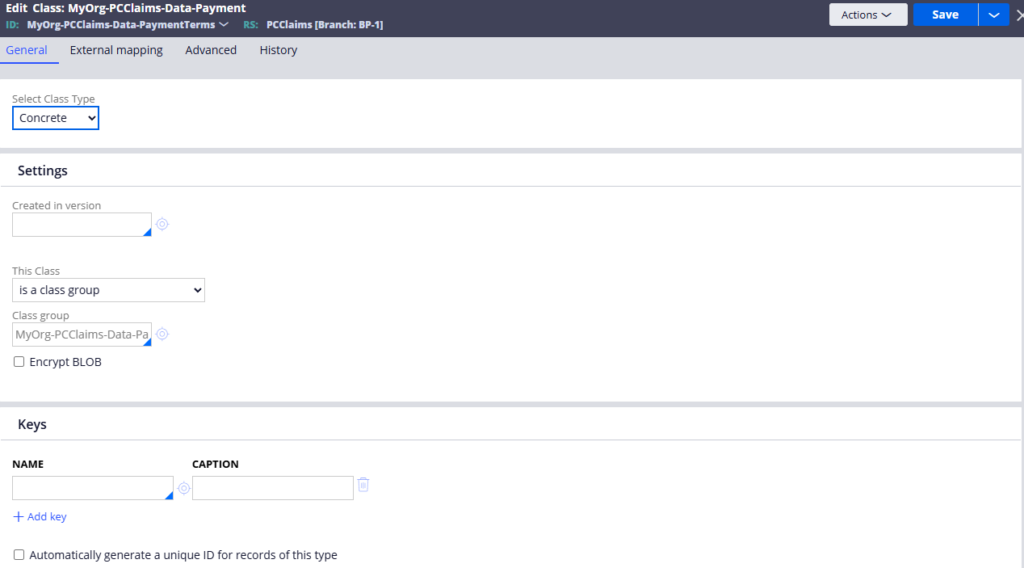
Concrete classes can have instances. Work classes – the ones that hold your cases – should always be concrete. When a user creates a new claims request, that is an instance of the claims request class. Concrete is the right choice here.
Abstract classes cannot have instances. Integration classes are almost always abstract because you are just passing data through them, not persisting anything. Data classes can go either way – if the data lives in your system, concrete makes sense. If it is sourced from an external system via integration, abstract is more appropriate.
A simple rule of thumb – if you need to store instances, use concrete. If you just need a layer for rules and logic without persistence, use abstract.
Class Groups – Why They Exist
A class group is exactly what it sounds like – a group of related classes that share a common database table.
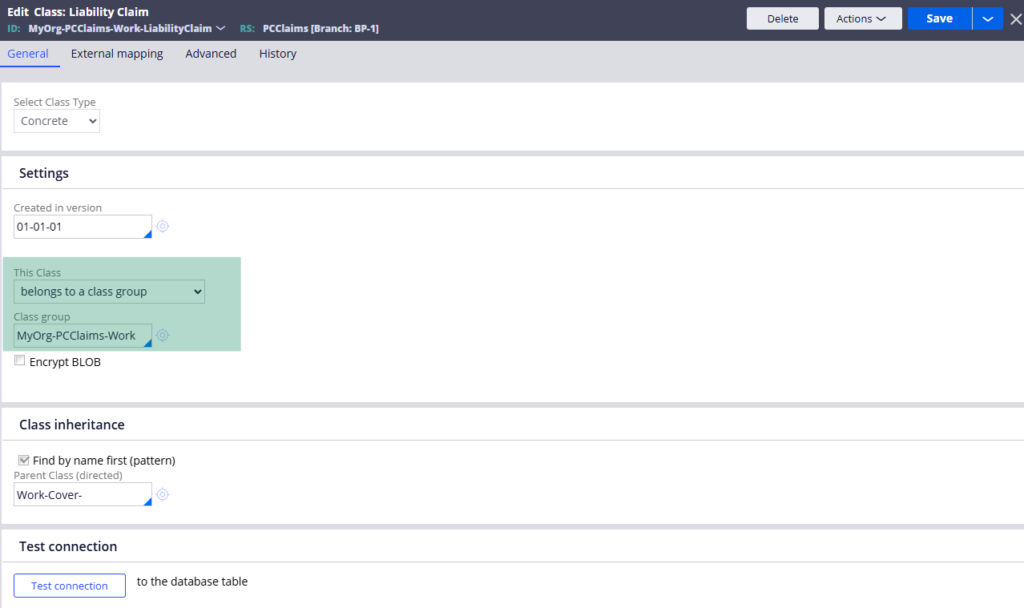
By default in Pega, all work classes belong to the work layer class group. This means all your case instances – claims, investigations, payments, whatever case types you build – all go into the same underlying work table. This keeps things simple and manageable for most applications.
There are situations where you might want a dedicated table for a specific case type – for example if you expect millions of instances for one particular case and do not want to overload the shared work table. In that scenario you can mark the class as its own class group, create a dedicated database table, and map them together using a database table instance.
Class Inheritance in Pega
Pega uses two types of inheritance and understanding both is important.
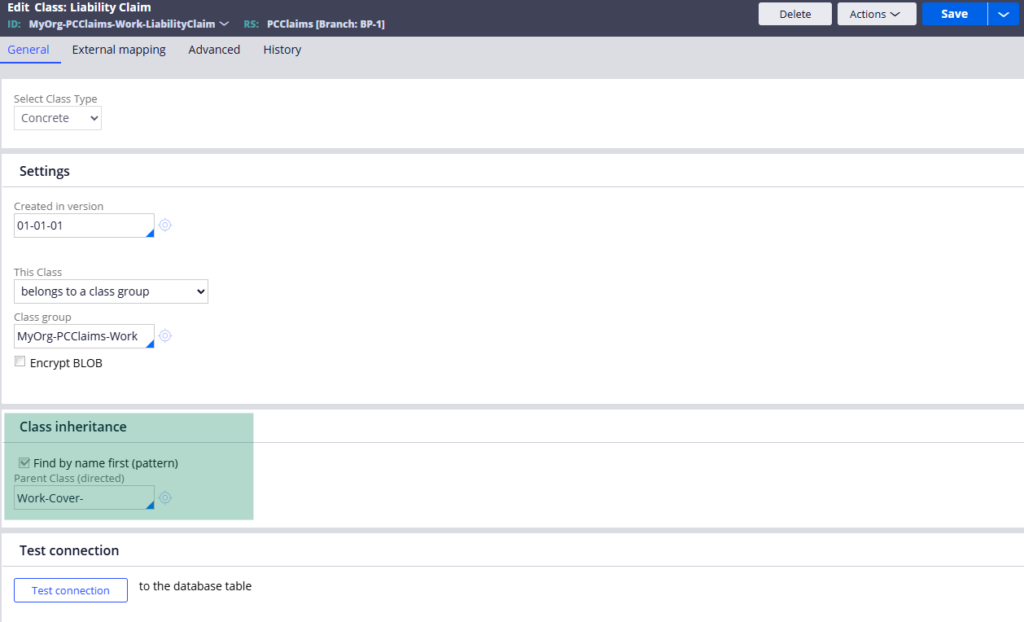
Pattern inheritance follows the class name structure. A class like Alife-ClaimsApp-Work-ClaimsRequest automatically inherits from Alife-ClaimsApp-Work, then from Alife-ClaimsApp, then from Alife. The hierarchy is built right into the class name. This is how the situation layer cake works in practice.
Direct inheritance lets you explicitly point a class to a parent class, regardless of naming. By default, work classes direct inherit from the work layer. If you are using a solution framework or a custom framework layer, this is where you configure that connection.
Pattern inheritance takes priority by default, which is almost always the right setting. The rule engine walks up the inheritance path looking for the right rule to execute – starting with the most specific class and moving up through the layers.
Watch the Full Walkthrough
In the video below I walk through the full class rule configuration – concrete vs abstract, class group mapping, inheritance paths and a live demo of creating a dedicated database table for a new class group.
Classes and inheritance are the kind of topic that takes a few projects to fully click. But once they do, everything about how Pega resolves and executes rules starts to make much more sense.

