


Authentication is one of those topics that feels straightforward until you start working on a real enterprise implementation.
At its core, authentication is simply about identifying who you are before you are allowed in. Every application does it. Facebook does it. Your bank does it. Pega does it too.
In Pega, every user – developer, administrator or end user – must be authenticated before accessing any part of the platform. The question is how that authentication happens and which protocol is being used.
Authentication Protocols Pega Supports
Pega supports multiple authentication protocols out of the box – basic username and password, LDAP, OAuth, SAML and OpenID.
This matters because large organisations typically have their own identity management systems. Different systems speak different protocols. Pega’s flexibility means you can connect to almost any identity provider without building custom authentication from scratch.
In this video the focus is on basic authentication – where credentials are validated against Pega’s own operator table in the database.
What Changed in Pega 8.2
Version 8.2 introduced two significant changes to how authentication works.
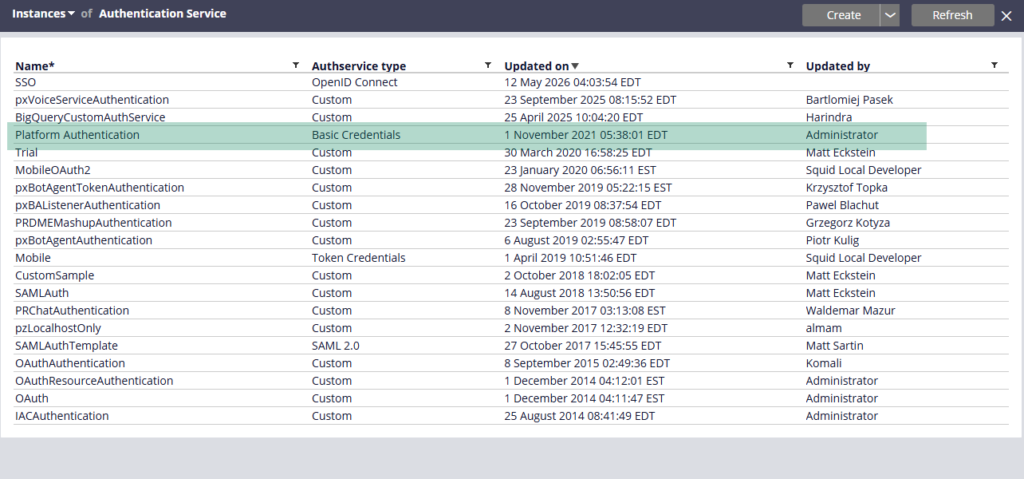
The first was a new authentication service called platform authentication. Before 8.2, basic authentication was buried in the engine code – you could not easily customise it or swap out the credential store. Platform authentication changed that. It is a proper configurable rule that you can extend, customise and connect to external identity stores if needed.
The second was a new servlet called PRAuth. Before 8.2, adding a new authentication type meant editing the web.xml file and restarting the server. PRAuth acts as a base layer that all authentication services can extend. Create a new authentication service in Pega, and it automatically becomes available under the PRAuth URL pattern without touching web.xml.
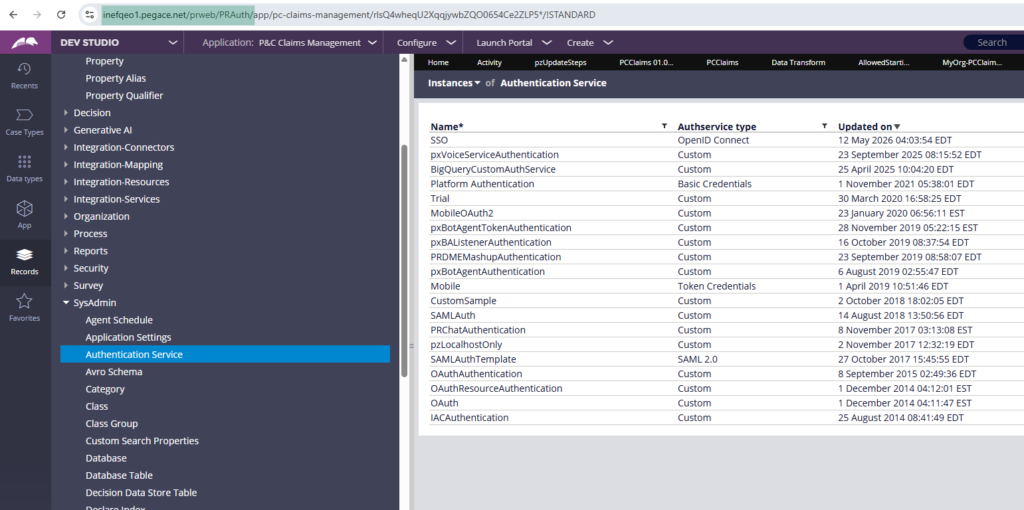
The old PRServlet still works for backward compatibility – but PRAuth is the way forward.
How the Login Flow Works
When a user hits the login page and submits their credentials, Pega’s engine kicks off a series of out-of-the-box activities – setting up the operator session, initialising the requester, validating credentials against the pr_operators table. You can actually watch this happen in real time using Pega’s remote tracer on a browser session.
The platform authentication service also supports external credential validation – so instead of checking the Pega database, you can point it at an external identity store via a data page. You can even enable automatic operator provisioning, where Pega creates a new operator ID on the fly the first time a valid external user logs in.
Security Policies
One thing worth knowing – the PRAuth servlet has security policies attached to it. Password policies, CAPTCHA, lockout rules. If you switch from the old PRServlet to PRAuth and suddenly get prompted to change your password, that is why.
Ofcourse the security policies can be enabled / disabled from the landing page shown below
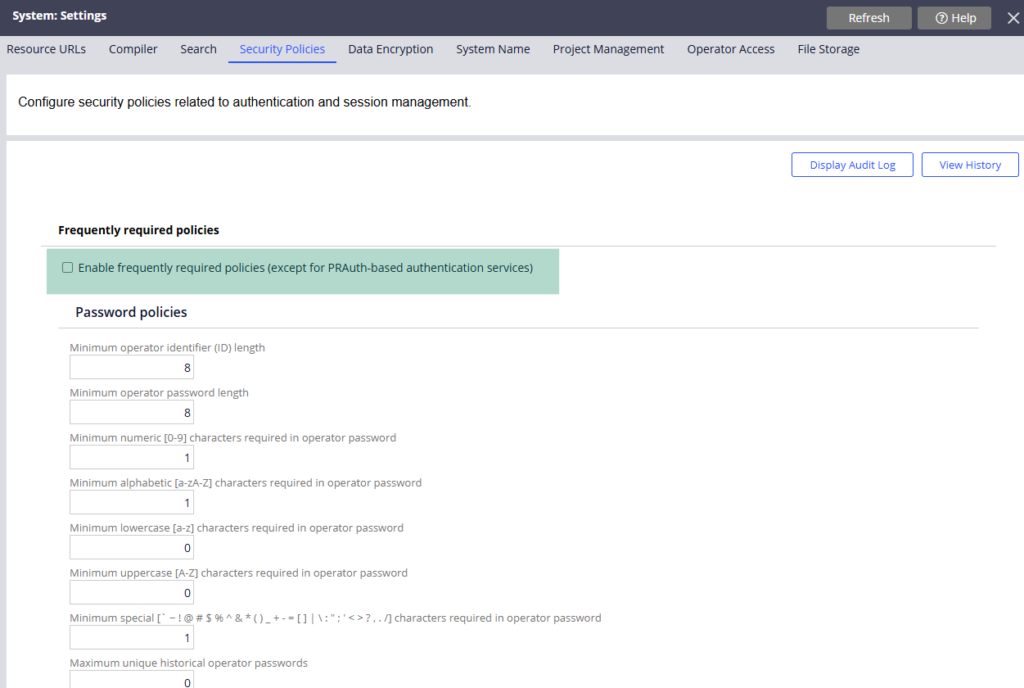
The security policies associated with platform authentication are enforcing their rules.
Watch the Full Walkthrough
In the video below I walk through the full authentication setup – the web.xml servlet definitions, the platform authentication service configuration, creating a new authentication service, and tracing a live login session to see exactly which activities Pega executes during authentication.
Authentication is the entry point to every Pega application. Understanding how it works – even at a high level – makes you a more confident developer when things go wrong or when a client asks how their login flow is secured.

