

Every REST integration in Pega needs a way to move data between JSON and the clipboard. Serialization turns clipboard data into JSON, and deserialization parses JSON back onto the clipboard.
For SOAP, Pega has long offered XML Stream and Parse XML rules to define message structure. For REST, the engine handled the conversion behind the scenes in Java, with no rule you could see or control.
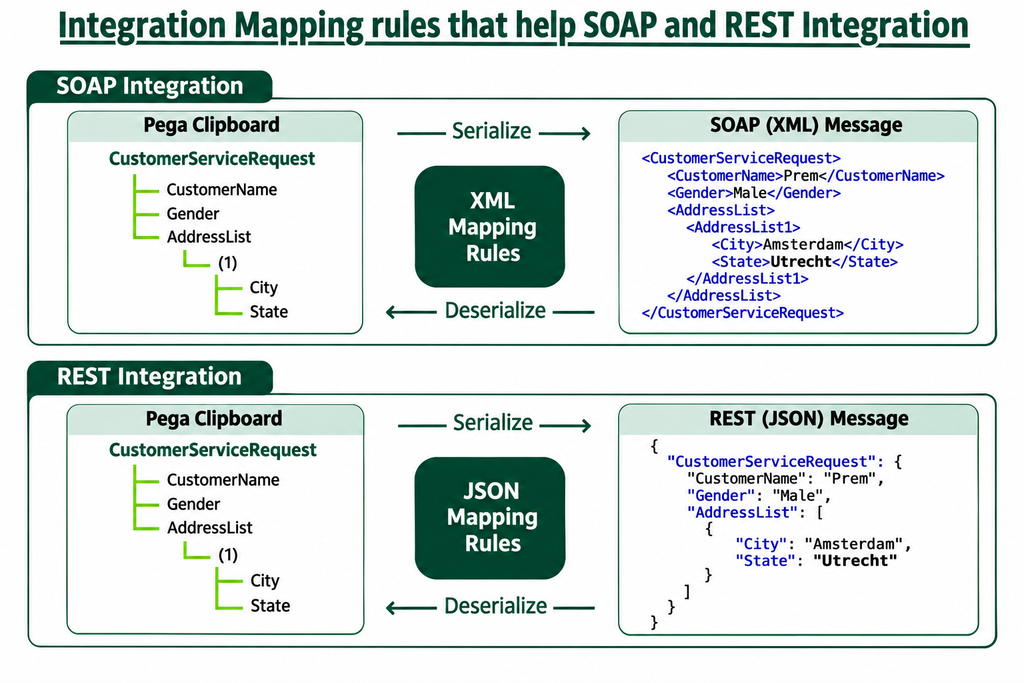
Since Pega 8, the JSON data transform fills that gap. A single rule handles both directions, gives you full control over the mappings, and changes how you design your integration layer.
Why Use It
You can map application properties directly to JSON elements instead of duplicating every property in an INT layer. That means fewer integration rules and fewer property qualifiers when JSON and Pega names differ.
JSON to Pega Mapping
A JSON object maps to a page, and an array of objects maps to a page list. An array of arrays maps to a page list nested inside a page list.
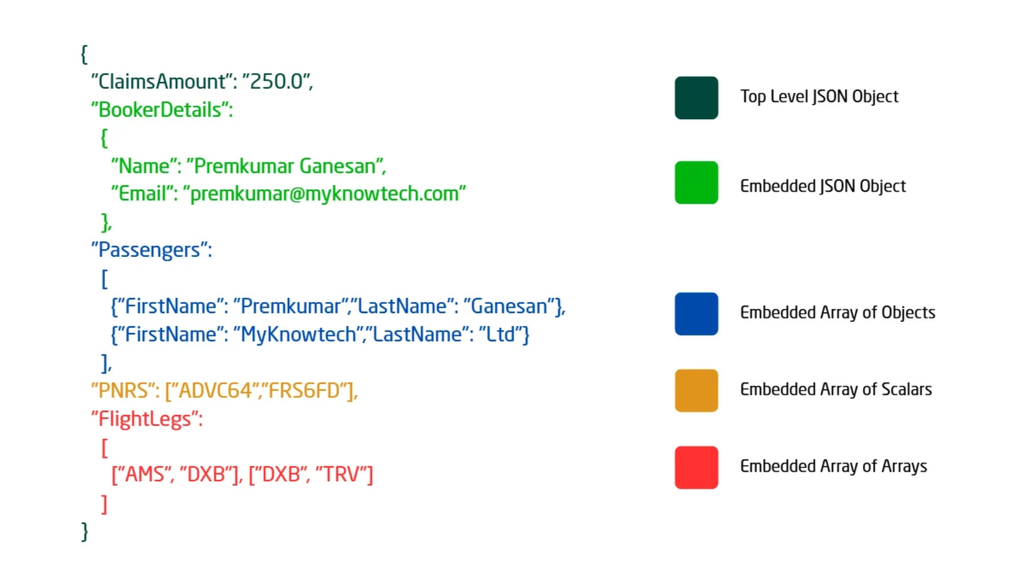
Page groups have no direct equivalent, and arrays of scalars cannot deserialize into a value list, so use a page list instead.
Key Configuration
- The mandatory execution parameter accepts Serialize or Deserialize, so one rule covers both directions.
- Auto map is quick, but use it only when your properties match the JSON exactly.
- Otherwise, map explicitly with Update page and Append and map to.
Watch the Full Walkthrough
The video covers every mapping step in Dev Studio, including the value list error and how to fix it.
Serialization will follow next!! 🙂