
What Is a Remote Case Type?
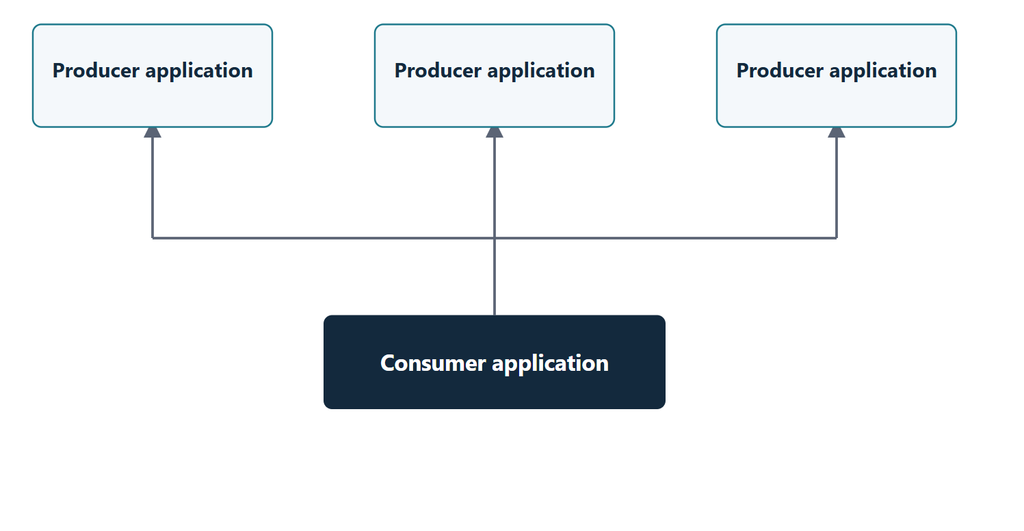
A Remote Case Type lets a consumer application create and open cases that live in another Pega application. The producer application owns the case type, its stages, data model and processing. The consumer simply references it.
In my demo, the PKM Invoice application acts as the consumer. It creates Invoice and Delivery Request cases that actually belong to a separate Delivery Service application, which acts as the producer.
This is a native Pega Platform capability. You do not need Pega Case Fabric for it.
Producer and Consumer in Practice
The split of responsibilities is clear. The producer defines the case lifecycle, actions and fields. The consumer can create cases and show them to users, but it cannot change the case type.
Task processing also stays with the producer. Submitting assignments or completing steps happens in the producer application, not across applications. Keep this in mind when you design the user journey.
Constellation Only
Both applications must run on Constellation. If either side is still on traditional UI, the native Remote Case Type option is not available.
This is one more reason to plan your Constellation adoption with cross-application scenarios in mind.
Setting Up the Connection
Most of the effort goes into connecting the two applications so they trust each other. Pega has already defined the architecture behind this, so follow the Pega documentation closely and reuse the standard rule names that Pega ships.
At a high level, the consumer signs a token on behalf of the logged-in user, and the producer validates it and maps it to an operator. One gotcha I hit: the same operator ID must exist in both systems and point to the right application, otherwise the connection fails.
I will cover the security side properly in a dedicated security module, so I am keeping it light here.
Creating the Remote Case Type
Once the connection works, the fun part takes only a few clicks in App Studio. You create a new case type, choose the remote option, register the producer application and pick the case type you want to consume.
There is nothing to design on the consumer side. No stages, no steps. It is remote processing, not specialization. When you launch the case from the consumer, you see the producer’s stages and the case gets created in the producer application.
Moving to Higher Environments
Behind the scenes, Pega creates a Remote System instance for the connection, with the URL driven by application settings. You can also set environment specific values for staging and production while registering the application.
Make sure these instances and settings are part of your deployment, otherwise the remote case types will not work after migration.
Watch the Full Walkthrough
The video walks through the full setup in Dev Studio and App Studio, including a live test with two remote case types.
Get the connection right first and the rest follows quickly. After that, rendering remote cases across your Constellation applications becomes a routine design choice.