


This applies specifically to structured single and structured list response mapping in GenAI Connect. If you are using those, you may assume you need to spell out the expected JSON structure inside your user prompt. You do not, and doing it anyway just adds noise.
The Setup
Take an auto insurance summary use case.
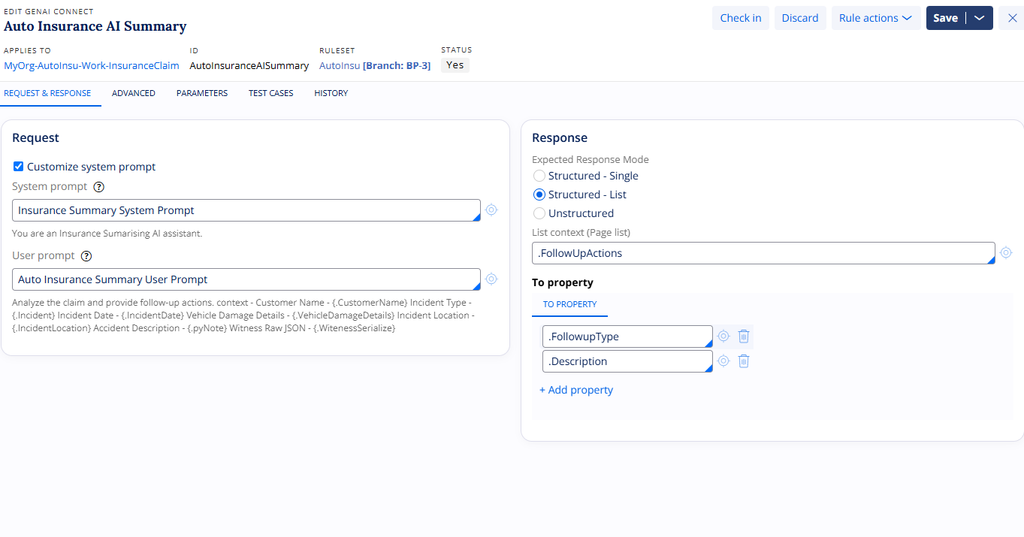
The requirement is a list of follow-up actions, each with a follow-up type and a description. Follow-up type is a picklist with five applicable values. Description has a maximum length of 2048 characters. These are the properties you expect the LLM to generate and map back to the case.
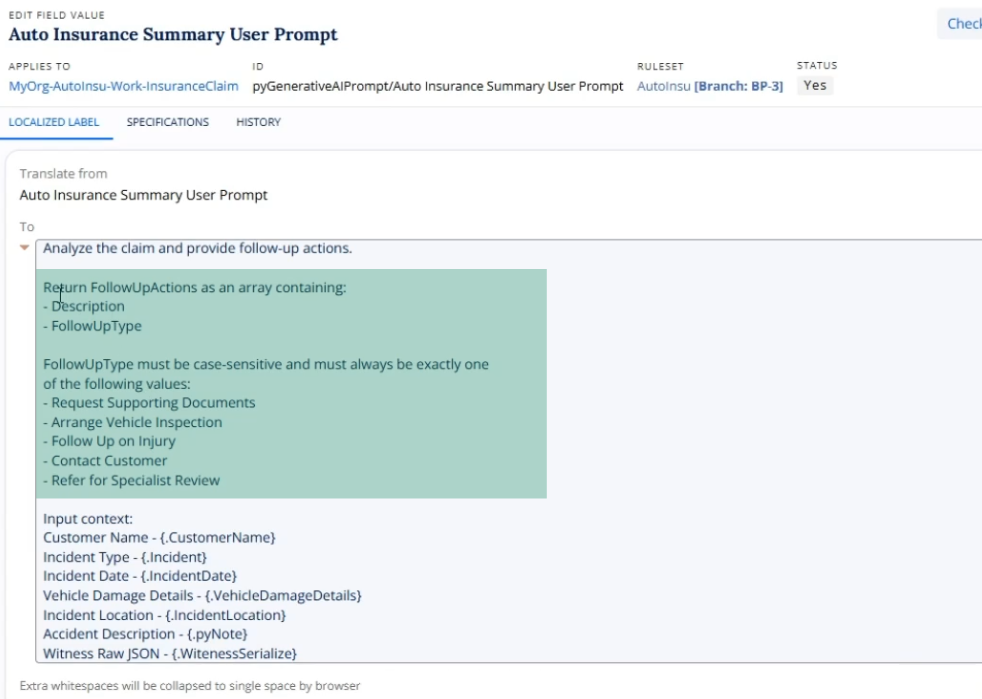
The instinct is to write all of that into the user prompt: specify it as an array, list the five enum values, mention the length limit. None of that is necessary.
What Pega Does Behind the Scenes
Open the LLM response and copy the request body being posted. Inside the system prompt, Pega has already added the full structure of your structured list. It picks up the follow-up action list, builds the array, adds description as text with its maximum length, and includes the follow-up type enum with all five applicable values.
Pega inspects the response structure tied to the GenAI Connect rule and appends this as a one-shot prompting technique automatically, every time you use structured single or structured list.
Watch the Full Walkthrough
The video shows the request body inspection step by step, including where to find it and what the appended schema looks like in practice.
Check your own GenAI Connect rules for structured responses that are still carrying manually written schema instructions. Strip them out and let Pega do the work it is already doing.

