


If you have used Git before, this topic will feel immediately familiar.
In Git, you pull source code from a central repository into your local machine, make your changes, and push them back. In Pega, the equivalent is checkout and check-in. Same concept, different terminology.
Checkout – Your Private Copy
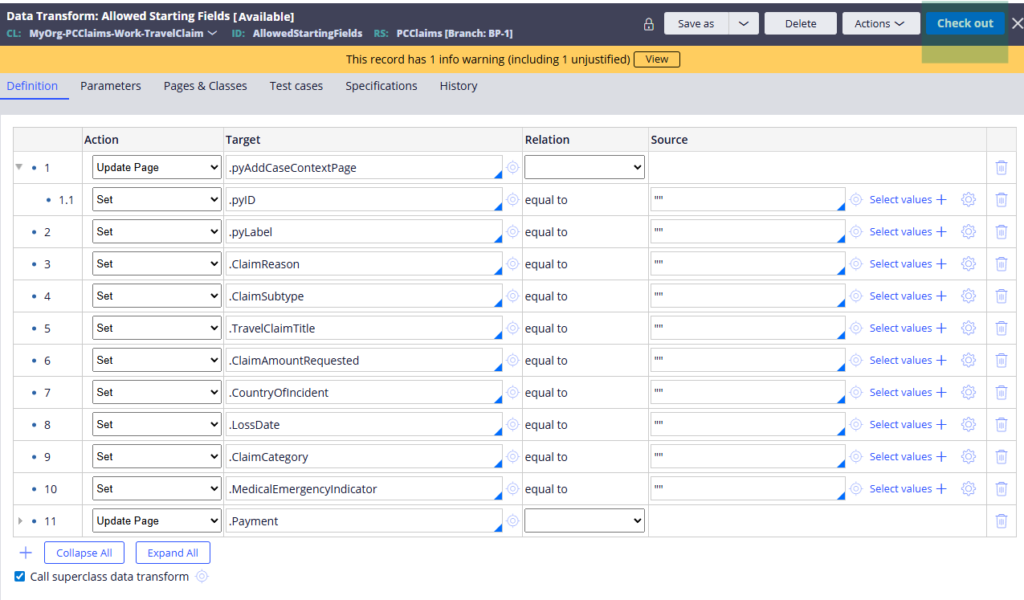
When you check out a rule in Pega, you create a private copy of that rule under your name. Your changes are visible only to you. Other developers working on the same application cannot see what you are doing until you check in.
This is important. It means you can make changes, test them, break things and fix them – all without affecting anyone else. Only when you are confident your changes are correct do you push them back.
One thing to note – only one developer can check out a particular rule at a time. If a colleague already has a rule checked out, you will not see the checkout button. You will only see the private edit option.
Check-in – Pushing Your Changes
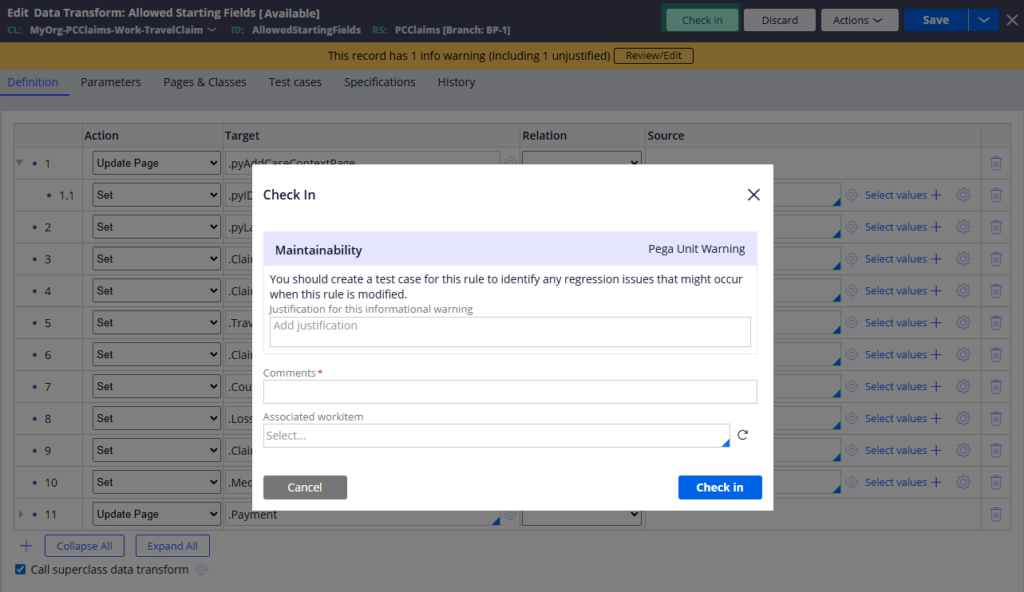
Once your development and testing are done, check-in is your commit and push. It moves your private copy back into the main ruleset and makes your changes visible to everyone.
When you check in, Pega asks you for a check-in comment. Treat this seriously – write something meaningful that describes what you changed. These comments become part of the rule history and are genuinely useful when you need to trace changes later.
Private Edit – When You Cannot Check Out
Private edit is the option you reach for in two situations.
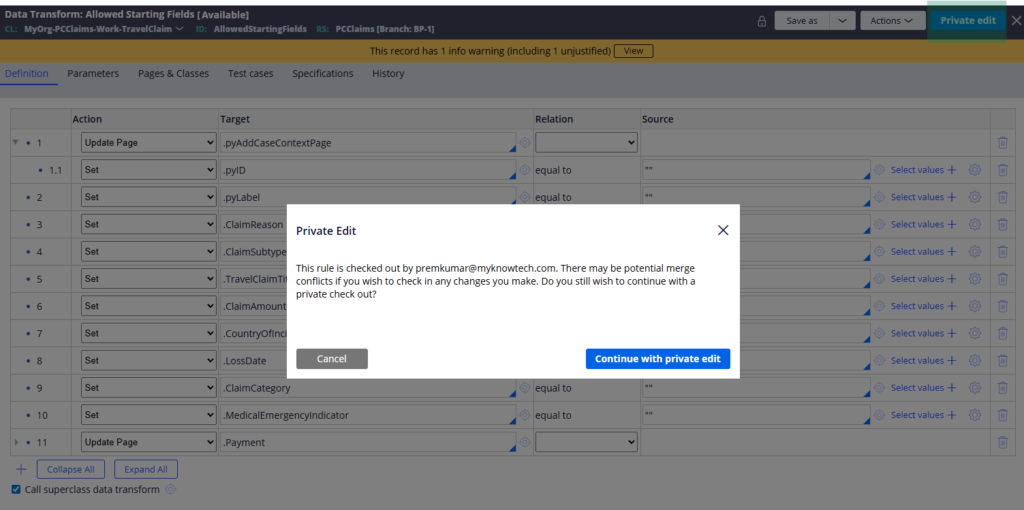
The first is when another developer already has the rule checked out. You cannot check out the same rule, but you can do a private edit – creating your own local copy to work with. The catch is you cannot check in your changes until the original developer checks in or discards theirs. You can however save your work into a branch and deal with the merge conflict once the other developer is done.
The second situation is when a ruleset version is locked. Locked versions cannot be checked out, but you can still do a private edit for local testing. This is useful in staging or testing environments when you want to test a change without affecting anyone else or touching a locked version.
Enabling Checkout
Checkout does not work out of the box. You need to enable it in two places – on the operator ID under the security tab, and on the ruleset under the security settings. Once both are configured, the checkout button appears on all rules within that ruleset.
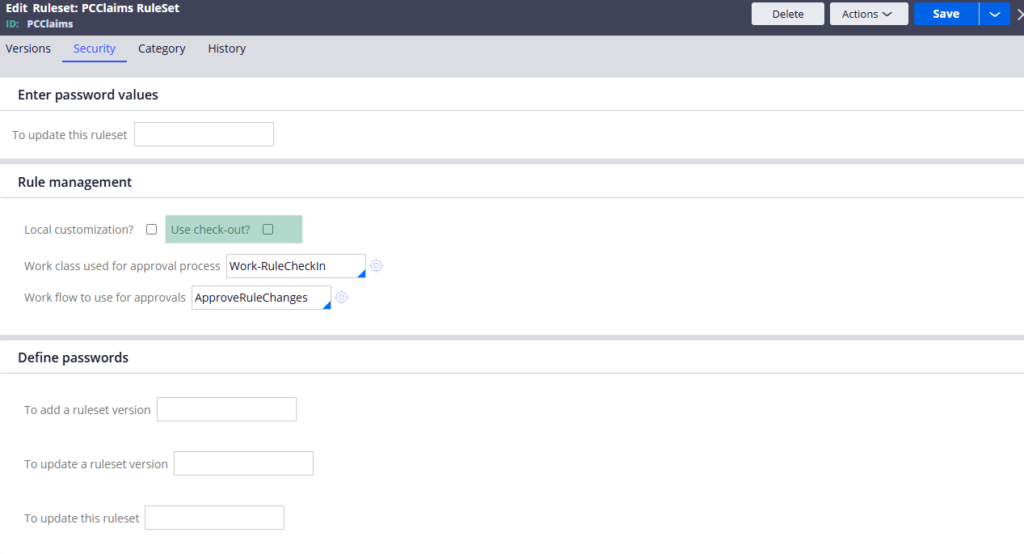
Pega does not enable this by default because in the early stages of development a single developer is usually working alone. Once your team grows and collaboration becomes important, enabling checkout is one of the first things you should do.
Watch the Full Walkthrough
In the video below I demonstrate all three developer actions live – enabling checkout, creating private copies, checking in changes and using private edit when a rule is already checked out by another developer.
These three actions are part of your daily development workflow in Pega. Getting comfortable with them early makes team development significantly smoother.

