


Before you expose any service from Pega – REST, SOAP, file, email – it needs to live inside a service package.
Service package is not a rule. It is a data instance. And it does more than just group services together. It controls access, authentication, processing mode and performance. Understanding it properly makes everything else in Pega’s integration services layer make sense.
What a Service Package Does
A service package groups related services together – similar to how a ruleset groups rules. For a claims application you might have one service package called Claims App Services that holds all your exposed services.
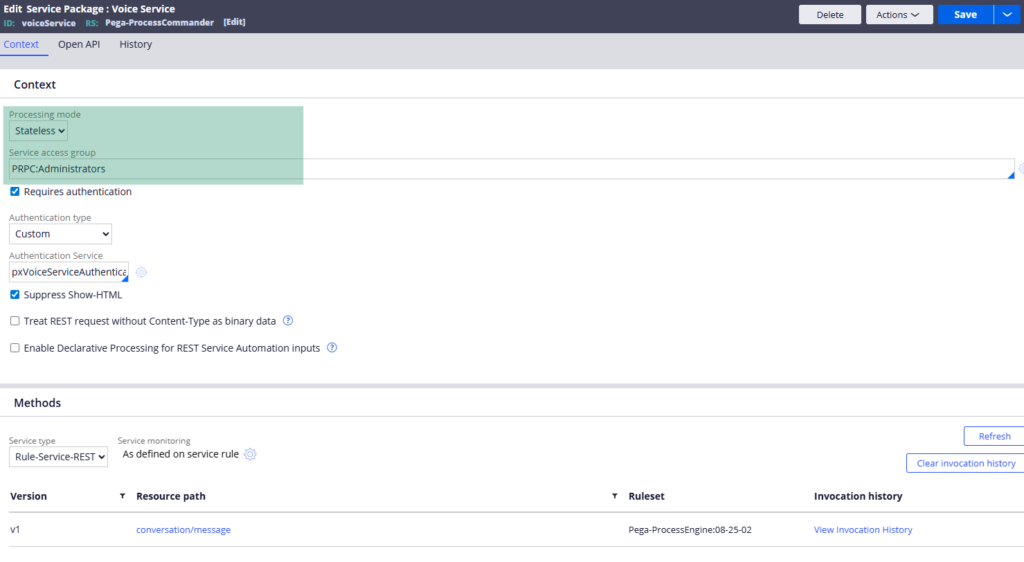
Beyond grouping, a service package provides the access group that allows service rules to execute. Services run under app requesters – dedicated requester types separate from browser requesters. Those requesters need an access group to know which application and rules they can work with. The service package is where you configure that.
It also controls authentication for all services within the package. Whatever authentication mechanism you set at the service package level applies to every service it contains. Basic authentication, OAuth, custom authentication – all configured here in one place.
Stateless vs Stateful Processing
This is one of the most important decisions when configuring a service package.
Stateless means each incoming service request starts fresh. Any clipboard data created during that request is cleaned up when it finishes. Nothing is shared between requests. This is the default and the right choice for most scenarios.
Stateful means clipboard pages are maintained between service requests from the same session. A second service call can read data that was set during the first. This is useful when you have multi-step service interactions where data needs to persist between calls – like creating a purchase order and then processing payment as separate service calls that share data.
Use stateful only when you genuinely need it. It carries a performance overhead because the session state has to be maintained.
Authentication and Security
Service package lets you configure whether authentication is required and what type. Basic authentication – username and password – is the most common. If you use it, create a dedicated operator ID specifically for service authentication. Never use a developer or end user’s credentials. Configure that operator as unattended in the operator rule form so it cannot be used to log in through a browser.
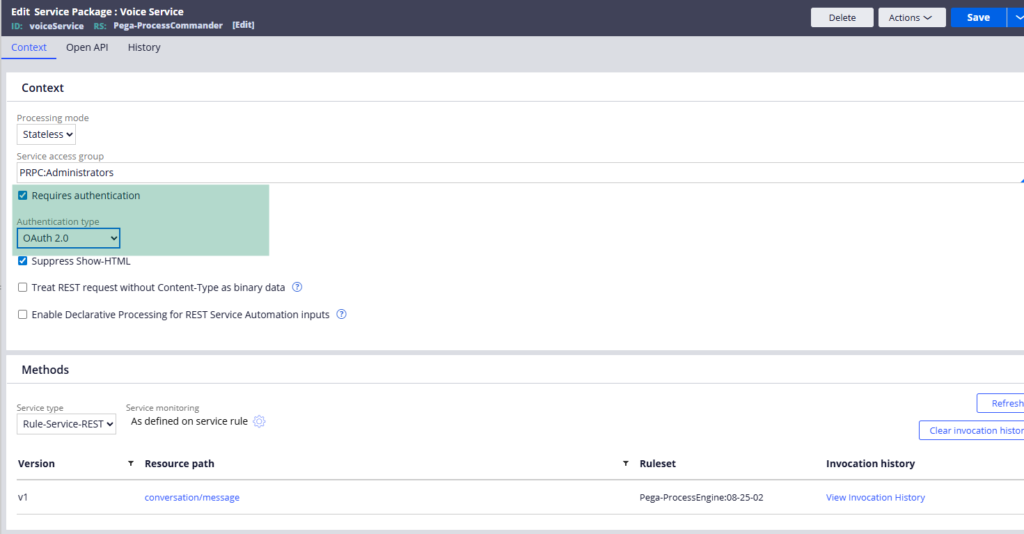
One more useful setting – suppress show HTML. Service activities sometimes call show HTML methods that would display user screens. Since there is no end user involved in service processing, this would just cause problems. Enabling suppress show HTML ensures those steps are skipped automatically.
Requester Pooling
This is where service performance is managed.
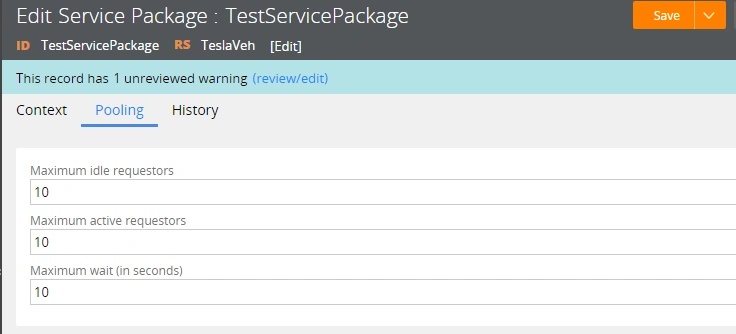
When a service request comes in, Pega creates an app requester to process it. Rather than creating and destroying requesters for every single request, Pega maintains a pool of idle requesters that can be reused.
You configure three values – the number of idle requesters to maintain, the maximum number of active requesters allowed simultaneously, and a timeout in seconds for how long a request can wait before throwing an exception.
If 15 requests arrive at once and your maximum active requesters is set to 10, Pega processes 10 immediately and the remaining 5 wait. As soon as a requester becomes idle it picks up the next waiting request. If the wait exceeds your configured timeout, Pega returns a timeout exception.
If you are seeing frequent timeout exceptions in production, requester pooling configuration is the first place to look. You can also clear the requester pool from Admin Studio under Resources – Requester Pools – which can resolve stuck or overloaded pools in on-premise environments.
Watch the Full Walkthrough
In the video below I walk through creating a service package from scratch – configuring the context, access group, authentication, processing mode and requester pooling settings with a live demonstration of how the pooling works under different load scenarios.
Service package is one of those foundational configurations that you set up once and rarely think about again – until something goes wrong. Understanding it properly means you will know exactly where to look when it does.

