


Every major software platform has some version of feature flags – a way to switch functionality on or off without deploying new code.
In Pega, that is toggle management.
What Toggles Are For
Toggles let you introduce beta features to your application and control who sees them. You can enable a feature for everyone, for a specific access group, or just for yourself while you test. When the feature is ready, you switch it on for all. If it does not work, you switch it off. No code deployment needed.
Before toggles existed in Pega, developers achieved the same thing using dynamic system settings paired with when rules. You would create a DSS, set its value to true or false, create a when rule that evaluated that DSS, and plug the when rule into sections or activities as a visibility condition. It worked, but it was manual and scattered.
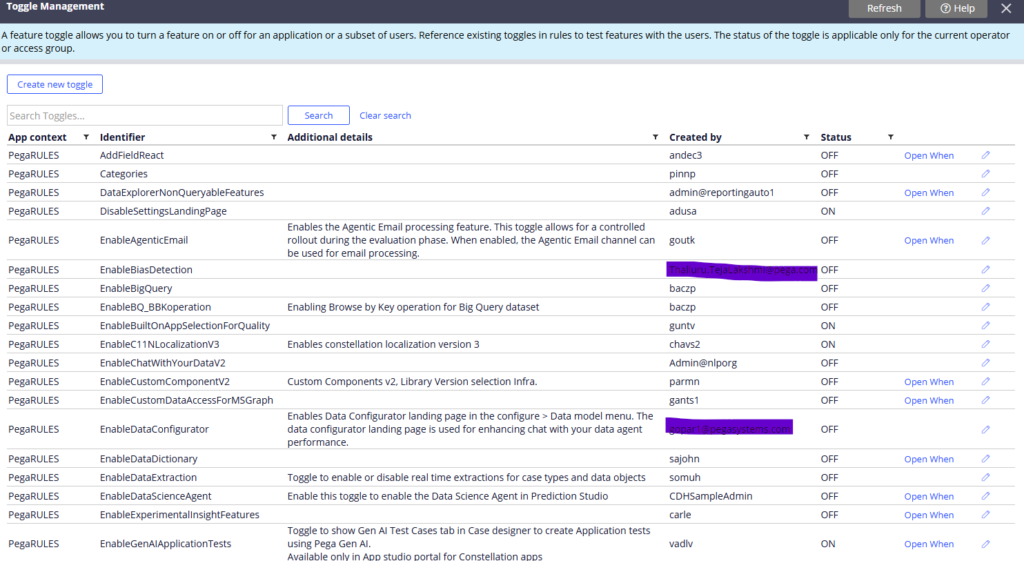
Toggles consolidate all of that into one landing page under Configure – System – Release – Toggle. Everything is managed in one place.
How Toggles Work
A toggle is a data instance. When you create one, Pega automatically generates a when rule for it – as long as you tick the option “this toggle will be referenced by rules” during creation.
That when rule uses the expression IsToggleEnabled with your toggle name and ruleset as parameters. When the toggle is switched on, the when rule evaluates to true. When it is switched off, it evaluates to false.
You then use that when rule wherever you need the switch – as a visibility condition on a section, as a precondition on an activity, as part of a decision. One when rule, one switch, controlling as many places in your application as needed.
Controlling Who Sees the Feature
Toggles support three levels of targeting.
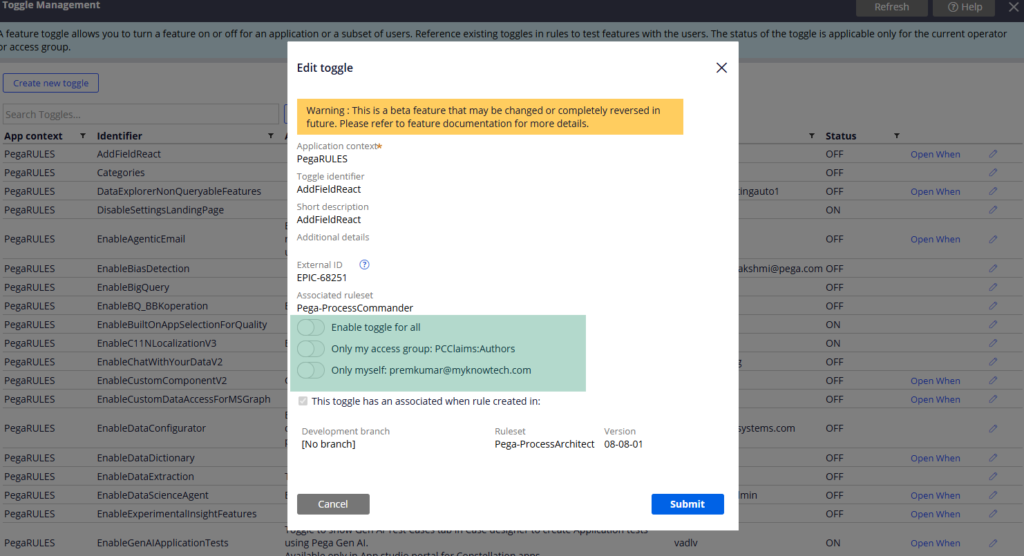
Enable for everyone – all users of the application see the feature.
Enable for access group – only operators who are part of a specific access group get the feature. Everyone else does not.
Enable only for yourself – useful during development and testing when you want to validate behaviour without affecting other users.
These levels have a priority order. If you enable for everyone, that overrides access group settings. If you enable for an access group, all operators in that group get access regardless of individual settings.
Migrating Toggles to Higher Environments
This is the part people forget.
The when rule created by a toggle is a rule instance – it travels with your ruleset deployment automatically. But the toggle itself is a data instance – it does not go with the ruleset.
You need to explicitly migrate the Data Admin Toggle data instances to your higher environments. Also check Data Admin Toggle Access Group and Data Admin Toggle Operator instances if you have configured group or individual targeting. If you forget these, the toggle exists in production but has no configuration behind it.
Watch the Full Walkthrough
In the video below I walk through creating a toggle, the auto-generated when rule, plugging it into a section visibility condition, testing the on/off switch at runtime and migrating toggle instances to higher environments.
Toggles are a clean, maintainable way to manage beta features in Pega. Once you start using them you will wonder how you managed without them.

