


Real-time BIX extraction is new as of Pega 24.2. If you are on an older version, this feature is not available. Here is how it works and how to set it up.
How the Architecture Works
With batch BIX extraction, you run an extraction job on a schedule. With real-time extraction, every committed save on a case instance triggers a message to be published to a Kafka topic. Consuming applications read from that topic and get the data in near real time.
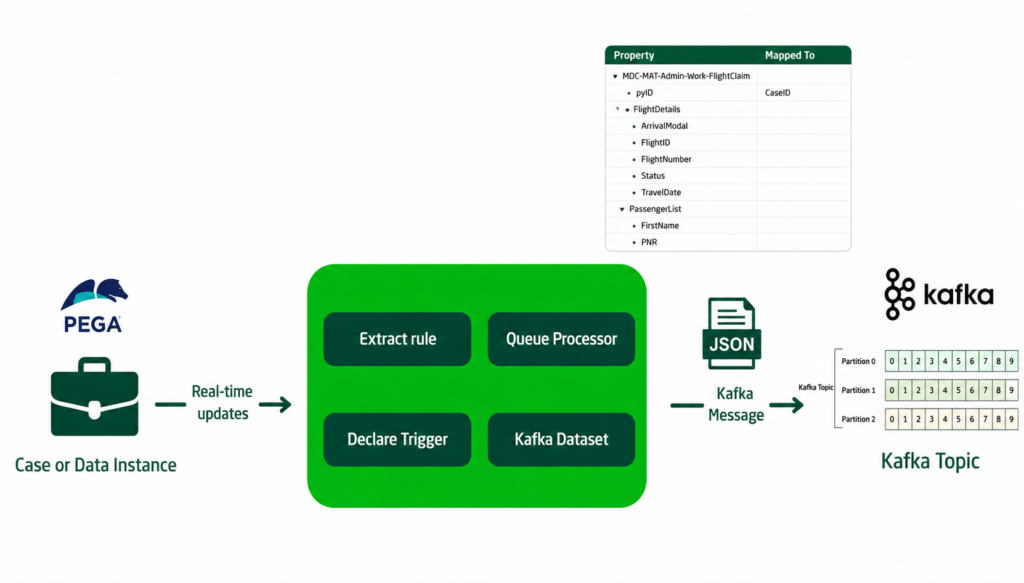
The rules involved are the extract rule (defines which fields are extracted), a declare trigger (fires on committed save), the standard queue processor (handles the async publishing) and a Kafka dataset (defines where the message goes).
Pega creates most of this automatically when you enable real-time extraction.
Enabling Real-Time Extraction
There are two things to check before starting. First, there is a toggle – Enable Real-Time BIX Extraction – that controls the feature at the system level.
Make sure it is switched on.
Second, open your extract rule and enable real-time data extraction.
When you save and check in the extract rule with real-time extraction enabled, Pega automatically creates a declare trigger scoped to your case type. You do not need to build this manually. The declare trigger fires on every committed save, queues a message via the standard queue processor and the queue processor publishes the message to your Kafka topic using a dataset execute call.
Application Context
Because the declare trigger runs under the case type’s application context, make sure that context includes the BIX-related rulesets – both your application BIX ruleset and the Pega BIX ruleset. Without the right context, the extraction activity cannot resolve the necessary rules and the publishing will silently fail.
Also verify your system runtime context includes the application so the standard queue processor runs under the correct context.
Testing It
Create a new case and submit it. The declare trigger fires on committed save, the queue processor picks it up, and the message is published to the Kafka topic. You can verify by running the Kafka dataset in browse mode – the extracted message should appear with the case fields defined in your extract rule.
One thing to be aware of – currently, any committed save triggers the extraction regardless of whether any fields actually changed. You may want to add a when condition to the declare trigger to check for meaningful changes before publishing.
The Polling API Alternative
Pega 24.2 also introduced a set of REST APIs for real-time data extract – register, connect and fetch events. The idea is that consuming applications can register once, then poll for new messages without needing a direct Kafka connection.
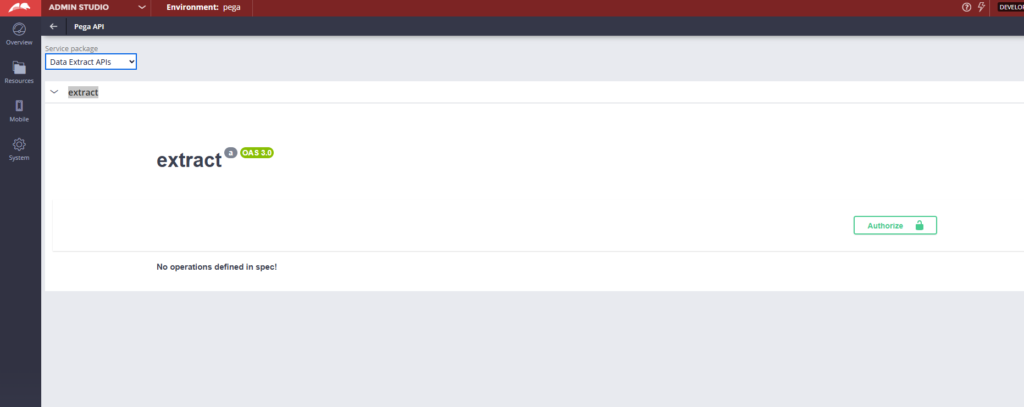
Documentation for these APIs is still thin at the time of recording. For most use cases, connecting directly to the Kafka topic as a consumer – either via a Pega data flow or standard Kafka libraries – is the simpler and more reliable approach. The polling APIs are worth watching as they mature in future versions.
Watch the Full Walkthrough
In the video below I walk through enabling the toggle, configuring the extract rule with a Kafka dataset, verifying the auto-created declare trigger, setting up the application context and testing with a live case creation that triggers message publishing to a Kafka topic.
Real-time BIX extraction is a significant capability for organisations that need data warehouse feeds in near real time rather than nightly batch. With Pega handling the declare trigger and queue processor automatically, the setup is simpler than you might expect.

