

Error handling in Connect REST comes up in almost every Pega interview. Here is how it works across all three invocation patterns.
The Core Difference From SOAP
In Connect SOAP, errors come back through fault summary elements. In Connect REST, errors come back through HTTP status codes. A 200 means success. Anything else – 401, 404, 500 – means something went wrong. Your error handling logic checks the HTTP response code and responds accordingly.
The Pega property that holds this value is pyHttpResponseCode on the primary page.
Error Handling in an Activity
When Connect REST is invoked from an activity, you handle errors in the step transitions.
There are two distinct error scenarios to handle.
The first is a valid HTTP response with an error code – for example, 401 unauthorized when authentication fails. The connection succeeded, the external server responded, but with an error. You catch this by checking pyHttpResponseCode in the step transition. If it is not equal to 200, route to your error handling step – log a message, create an assignment, send an alert, whatever your application needs.
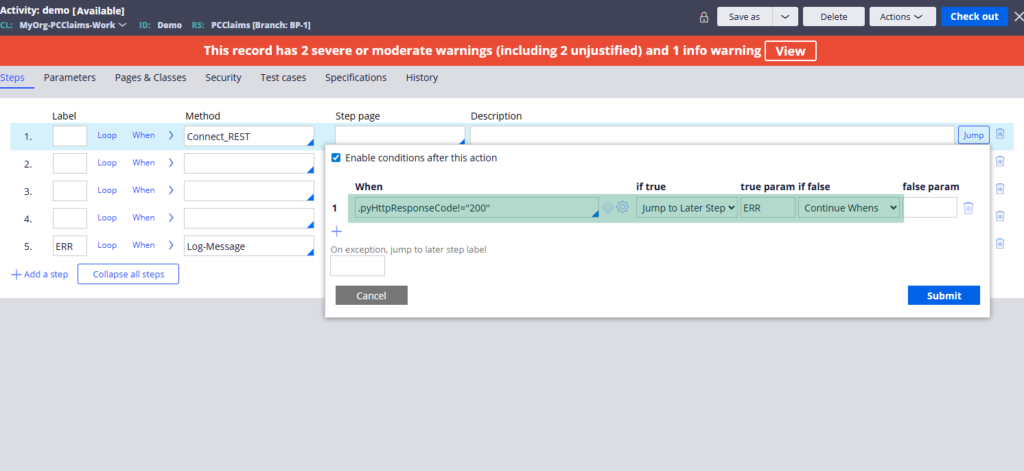
The second is a connection failure – the server is unreachable, the URL is wrong, the network is down. In this case, no HTTP response comes back at all. Instead, the activity method throws an exception and the step ends abruptly. You catch this by adding step status fail as a transition condition, jumping to your error handling step. You should also add an on-exception label so the activity does not terminate uncleanly if an unhandled exception occurs.
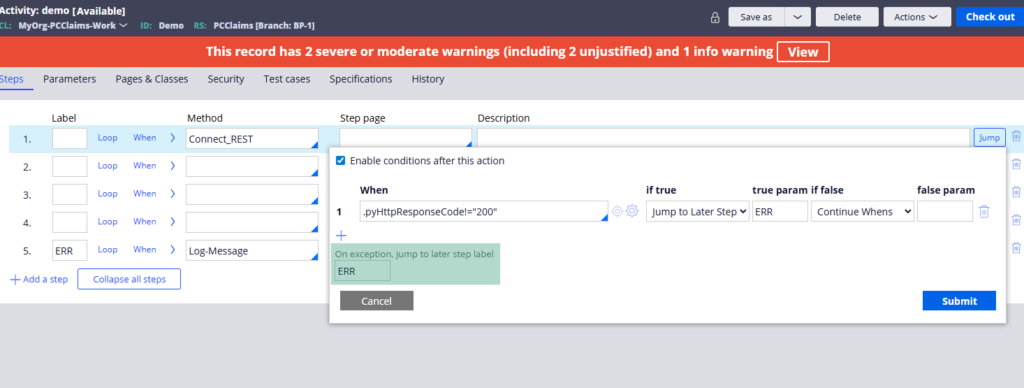
Both conditions should be handled. Together they cover the full range of failure scenarios.
Pre-Call Validation
Before invoking the Connect REST at all, you can validate the request. If a mandatory field like policy number is empty, there is no point making the call. Use Obj Validate in the activity to run a validate rule, check for messages, and skip the connector invocation if the request is not valid. This is cleaner than letting the external service return a 400 bad request.
Error Handling in a Data Page
When Connect REST is invoked from a data page, use the response data transform for error handling. Pega provides a built-in error handling template in the response data transform – it checks if the step page has errors and gives you options to log a message, remove the message, associate it with a page or send an email.
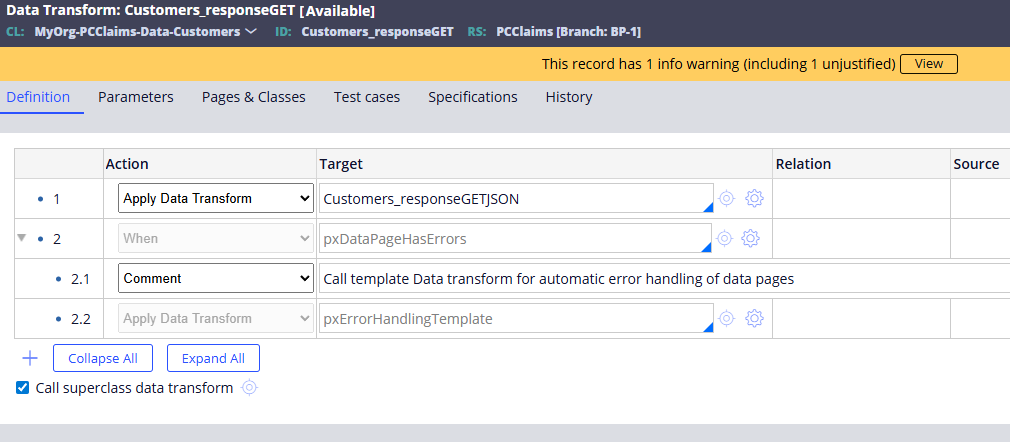
You can also add a when condition in the data transform that checks pyHttpResponseCode, giving you the same HTTP status code based error handling you would use in an activity.
Error Handling in a Flow
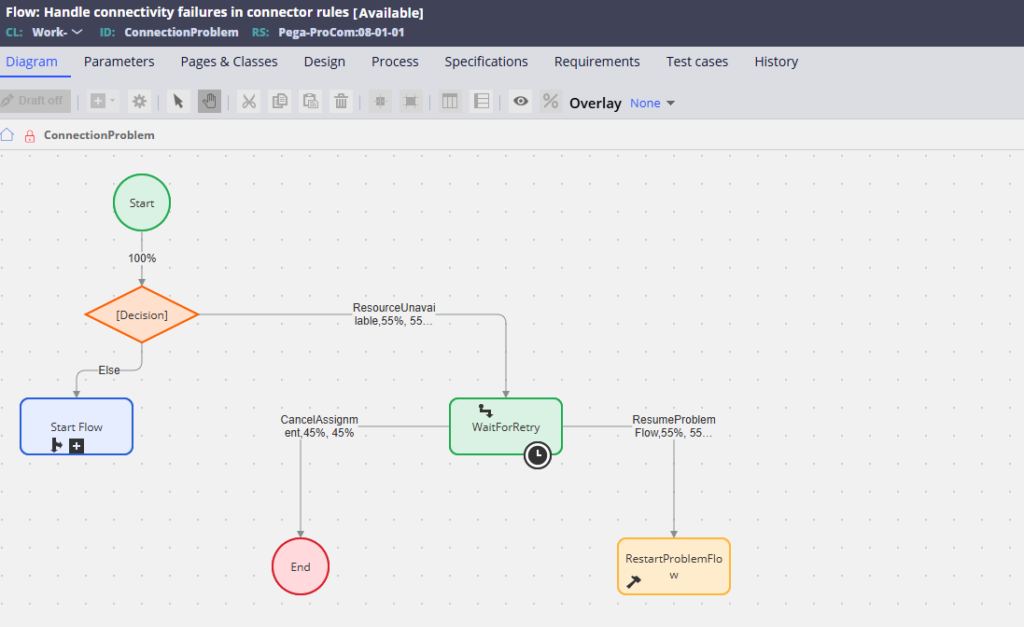
When Connect REST is invoked via a connector flow shape, Pega uses the ConnectionProblem flow rule to handle errors. This out-of-the-box flow is available and easily customisable. It routes cases to a work basket where operators can retry, cancel or take other actions. Your primary process halts while this flow handles the error scenario.
Which Pattern to Use
All three patterns are valid. The choice depends on where the connector is called from and what the application should do when an error occurs.
Activity invocation gives you fine-grained control over every step. Data page invocation keeps error handling close to the data layer. Flow invocation gives you a user-facing error resolution process.
Watch the Full Walkthrough
In the video below I walk through all three patterns live – activity invocation with HTTP status code and exception handling, data page invocation with response data transform error handling, and the connection problem flow.
This is one of those topics where understanding all three patterns separates a developer who builds integrations that work from one who builds integrations that work and recover gracefully.

