


“Built an app in 2 hours using AI.”
“Shipped a product this weekend with vibe coding.”
“No developers needed, just prompts.”
If you’ve been scrolling LinkedIn lately, you’ve definitely seen posts like these. And honestly, they are exciting. Vibe coding is real, and it is changing how quickly we can turn ideas into working software.
But here’s the part many posts don’t say out loud:
Most of those “few hours” applications are lightweight builds, great for learning, prototyping, and small utilities. The moment you move into enterprise-grade delivery, the rules change. Fast.
So in this article, I want to set the right expectations and then show why vibe coding inside Pega Blueprint is a very different (and enterprise-friendly) story.
Why Enterprise Apps Are Not “Just Vibe Coding”
If your goal is a portfolio website, a landing page, or a small tool (say, a document upload + results viewer), vibe coding can take you from prompt to output incredibly fast.
But enterprise applications – CRM platforms, underwriting systems, case management applications come with responsibilities that go far beyond generating a working UI:
- governance and auditability
- security models and access control
- integrations, data consistency, and enterprise architecture
- performance and scale
- reusability and maintainability across teams
- delivery guardrails and design patterns
That’s why enterprise platforms like Pega, Salesforce, and ServiceNow exist. They don’t only accelerate development, they enforce structure, consistency, and predictability at scale.
And yes, these platforms are now bringing vibe coding into their ecosystems too.
So What Exactly Is Vibe Coding?
I’m not saying you should avoid vibe coding, you absolutely should explore it. But it’s important to understand why it exists and how it helps.
Vibe coding makes it possible for people even those without deep programming skills to build solutions using natural language prompts. You describe what you want, and the tool (or agent) generates the output.
That output could be thousands of lines of code across different formats:
- YAML
- JavaScript
- Python
- and more
For example, prompt:
“Build me a personal portfolio website.”
And you might get a complete React project with all the necessary source code. You don’t need to know React… until something breaks ????
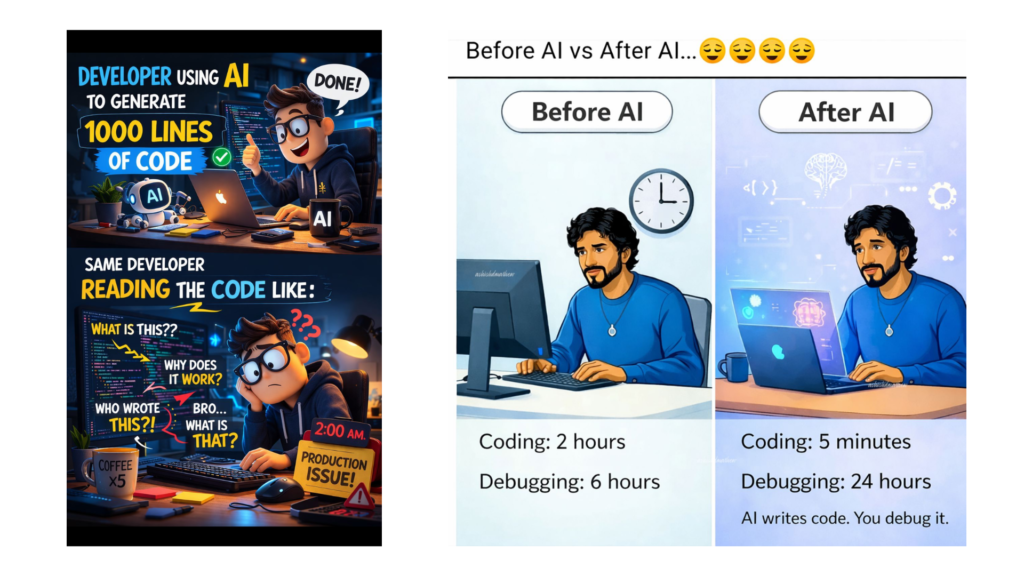
That’s vibe coding in a nutshell.
Now Let’s Talk About Vibe Coding in the Pega World
This is where things get more interesting.
Pega’s interpretation of vibe coding is not the typical “AI agent wrote 2,000 lines of code for me” storyline.
In Pega, vibe coding is more about enabling business + IT collaboration at the start of the project, using Blueprint, and shaping the business process using natural language.
Business stakeholders aren’t going to be impressed by code dumps. What they will value is:
- seeing their business process come to life
- in their language
- with structure and clarity
- aligned to enterprise patterns
That’s where vibe coding with Pega Blueprint stands out especially when compared to some of the more “prompt-first” experiences in the market (no names… but you know the vibe force ????).
Pega introduced this capability on March 5, 2026.
Why Blueprint Makes This Powerful
You likely already know what Pega Blueprint is, but these value points are worth repeating:
- Blueprint supports collaborative design with business stakeholders
- It produces a Blueprint file that can be imported into App Studio for authoring
- It gives teams a head start using industry-standard templates and patterns
And that “industry standard templates and patterns” part is important, because it means we’re not just generating “something that works,” but shaping a foundation that fits enterprise delivery.
I also wrote a blog article about blueprint, it can be interesting to visit here
AI Assistant + Vibe Coding Inside Blueprint (In Action)
Now comes the fun part, seeing the AI Assistant vibe coding experience inside Blueprint.
Where do you enable it?
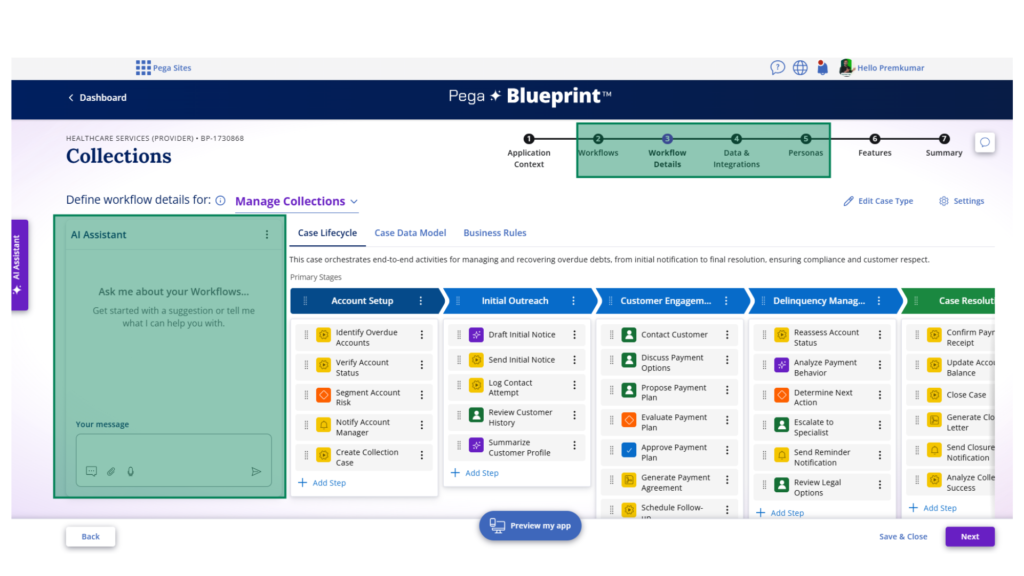
Inside Pega Blueprint, the vibe coding toggle is available in the left pane across four stages: Defining Workflows, Workflow Details, Data & Integrations and Personas
What does “grounded” assistance mean?
In each stage, the AI Assistant works within the scope of that stage.
For example, in Workflow Details, you can:
- describe how you want the workflow to look
- ask for suggestions and improvements
- remove redundant steps
- fine-tune flow steps using natural language prompts
Behind the scenes, this uses AI agents to execute changes in real time, so you can actually see the workflow evolve while you iterate.
And when I say “grounded,” try typing something completely out of context, you’ll get a response like:
“I can only help within the current Blueprint context.”
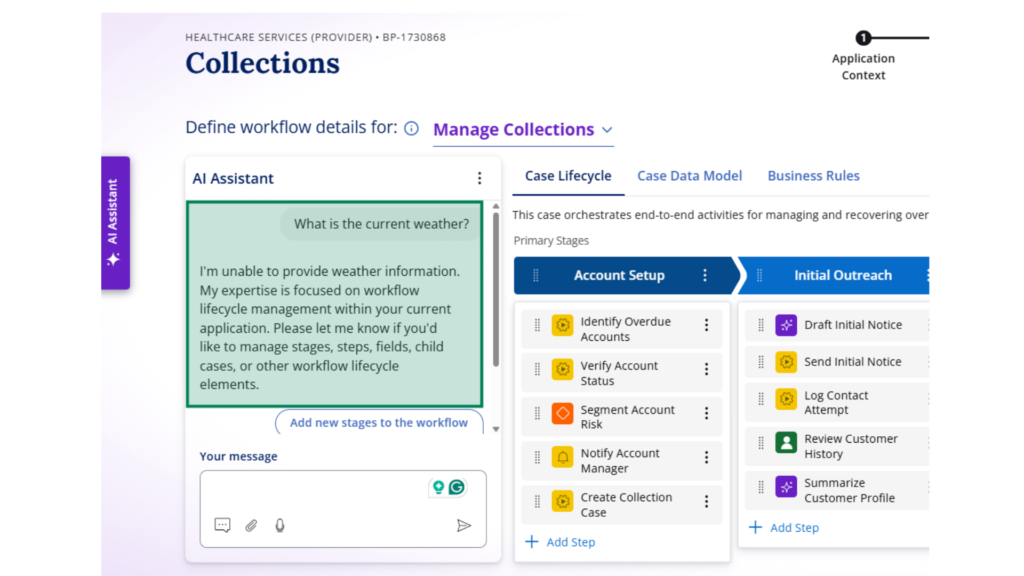
That’s a good thing. It keeps the experience controlled, relevant, and enterprise-safe.
At this point, you know how to use vibe coding within Blueprint. Feel free to explore how it behaves in the other stages too.
Who Will Enjoy This?
Your business stakeholders will likely love it because they can influence the design earlier and more naturally.
And for Pega professionals: if you’ve already mastered Blueprinting, you’ll probably enjoy exploring vibe coding inside Blueprint and seeing how quickly you can iterate and refine ideas.
The Big Question: Will Architects Get This in App Studio Too?
Right now, this vibe coding experience is happening primarily during design time, inside the Blueprint environment.
Business users are happy.
But will Pega architects be equally happy?
Maybe… especially if we start seeing vibe coding extend into App Studio, where authoring happens with full depth and detail.
There’s a small sneak peek answer out there, if you find the right comment from Don on LinkedIn.
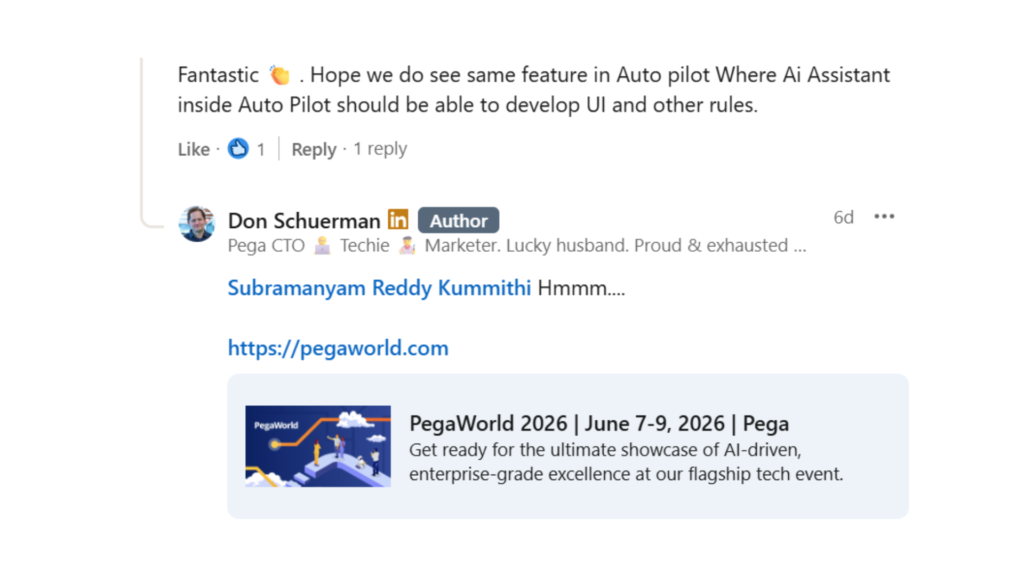
Book your tickets to PegaWorld ’26 here

