


Asynchronous processing in Pega integrations covers two scenarios – handling incoming service requests asynchronously as a service provider, and making outgoing connector calls asynchronously as a consumer. Both use a similar pattern.
When to Use Asynchronous Processing
The main use case is when processing takes too long to make the consumer wait. If creating a case involves complex business logic, multiple integrations or significant compute time, queuing the request and responding with a queue item ID is a cleaner approach than holding the connection open.
For connectors, asynchronous processing makes sense when you need to trigger an outbound call but do not need the response immediately – for example, a fire-and-forget notification to an external system.
Asynchronous Service Processing
In a service REST rule, the processing mode is configurable.
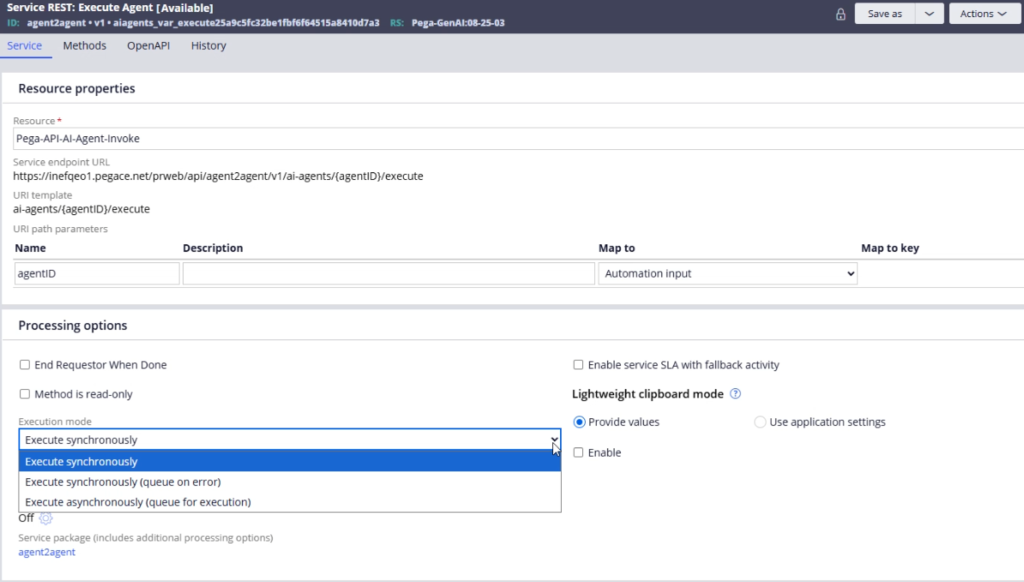
You can set it to execute synchronously (default), queue on error (synchronous first, async only if something fails) or always execute asynchronously.
You can also configure async processing at the response condition level – using a queue when condition with a when rule that determines which requests should be queued based on business criteria.
To handle the async execution, you create a service request processor rule under Integration Resources. The key configuration is the queue class – use the default out-of-the-box service queue class unless you have a specific reason to create your own. Set the dequeuing options for maximum execution attempts and whether to retain the queue instance after success (useful for reporting and debugging).
The out-of-the-box integration services agent – Process Service Queue – handles the actual execution.
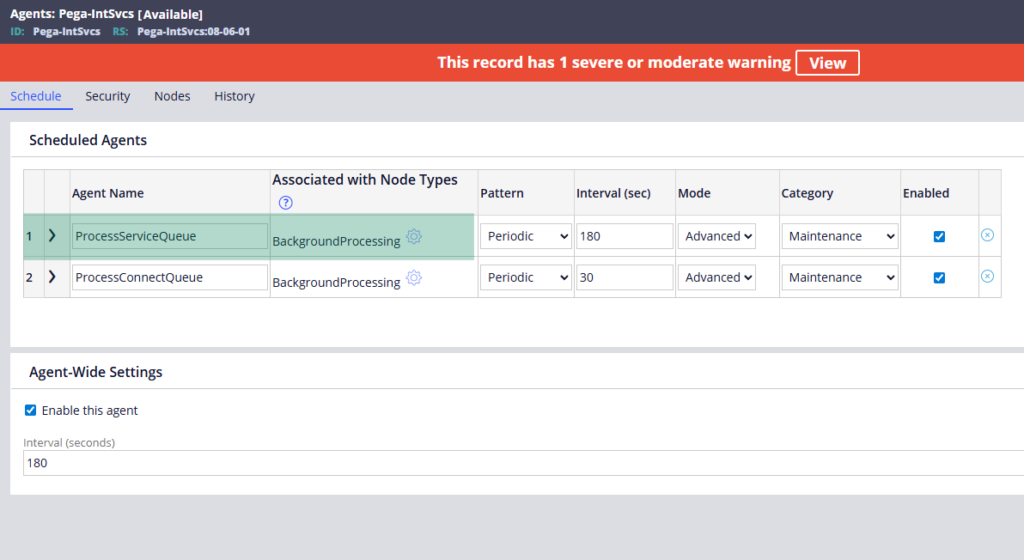
It monitors the queue table, picks up entries and processes them. You do not need to configure this agent yourself.
Returning the Queue Item ID
When processing asynchronously, the consumer gets no case ID in the immediate response – because the case has not been created yet. Instead, send them the queue item ID. Pega places this in pxQueueItemId on the clipboard during the service execution.
Configure the response data in your service REST post method to return this parameter. The consumer receives the queue item ID, stores it, and can use it in a follow-up call to check the processing status.
For checking status, Pega provides an out-of-the-box activity called GetExecutionRequest.
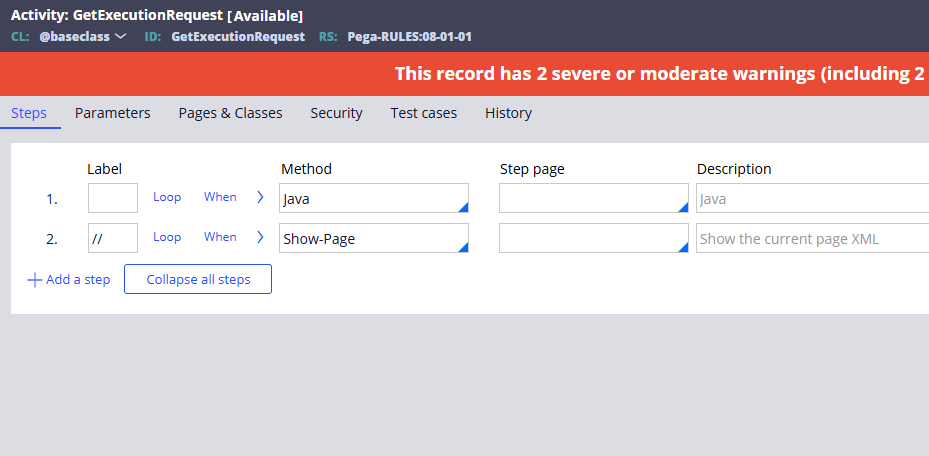
Pass the queue item ID and it returns the processing status and any output from the completed job. Wrap this in a simple GET service REST rule so consumers can poll for results.
For service SOAP, the queue item ID comes through the fault summary rather than a parameter – same concept, different mechanism.
Asynchronous Connector Processing
The same pattern applies for outgoing connectors. In a Connect REST rule, set the processing option to queue the request. Create a connect request processor rule and specify the connect queue class (the equivalent class to the service queue, with connect in the name rather than service).
The Process Connect Queue agent in the integration services rule set handles execution – the same way the service-side agent works.
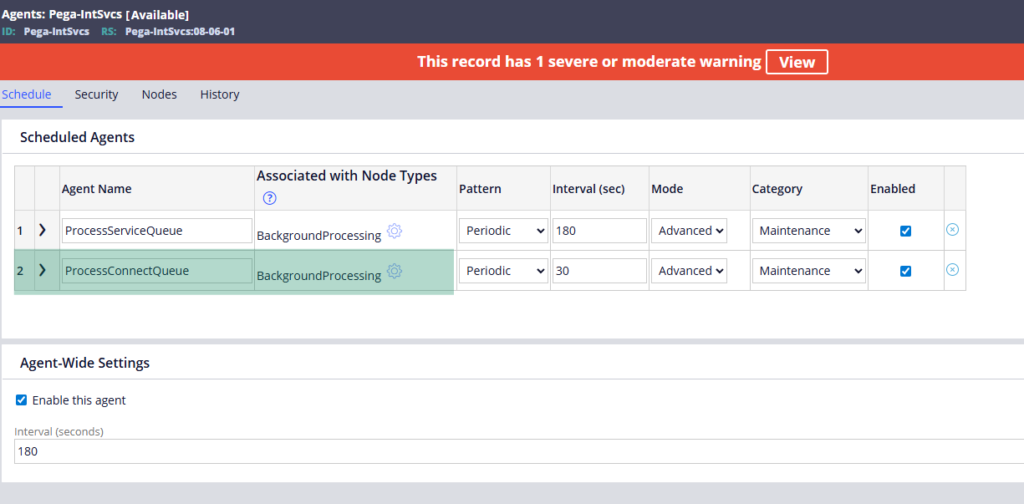
One practical note – when you configure the activity method that calls the connector, make sure the method’s execution mode is also set to queue rather than synchronous, otherwise the activity configuration overrides the connector rule setting.
Watch the Full Walkthrough
In the video below I walk through both sides – configuring a service REST rule for async processing with a service request processor, testing the queue item ID response in Postman, and configuring an outgoing connector with a connect request processor for async execution.
Asynchronous processing is one of those integration patterns that becomes essential once your applications deal with high-volume or long-running operations. Understanding both the service and connector sides gives you the full picture.

