


If you have ever wanted to package a set of reusable utilities and share them across Pega applications, components are the mechanism for doing that.
What a Component Is?
A component is a collection of rulesets that adds functionality to any Pega application. Think of it as a library or utility package – integrations, helper functions, shared logic – that can be plugged into different applications without rebuilding anything.
The key distinction is between a component and a component application.
A component application can hold case types. If you want to reuse an entire case type across multiple applications – the case lifecycle, the flows, the screens – you build it as a component application and include it in each application that needs it.
A component cannot hold case types. It is purely utilities – rulesets, functions, integration configurations. If you want to share a set of REST connectors or a library of reusable activities across applications, a component is the right choice.
Using the Pega Marketplace
Pega provides a marketplace where Pega and its partners publish ready-made components. You can browse it directly from your application definition – open the application rule, find the Enabled Components block and click Manage Components.
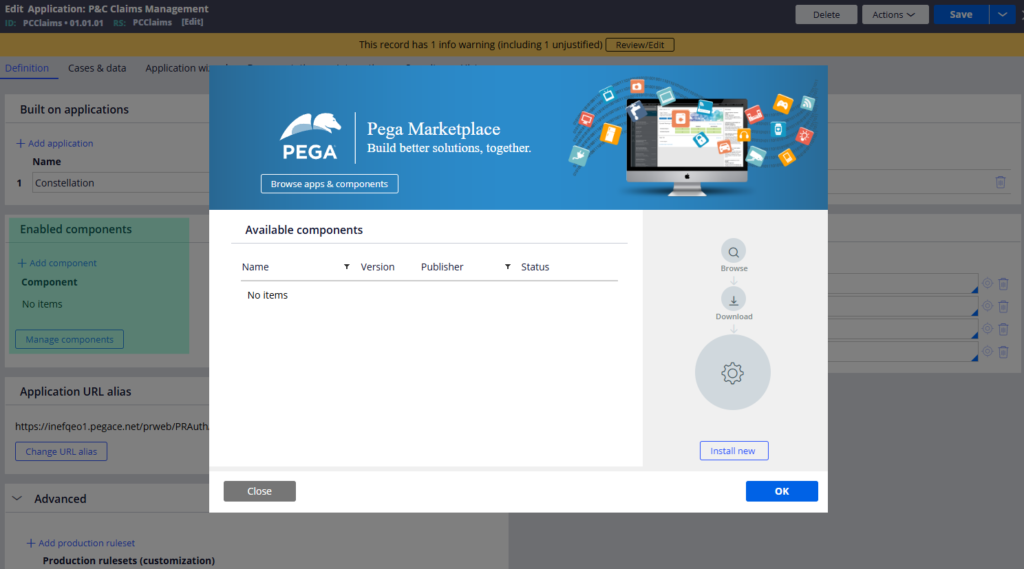
From there, you can search for components by capability. If someone has already built a Google Calendar integration or a document processing utility, you can download it, install it from the zip file and enable it in your application. No rebuilding from scratch.
Creating Your Own Component
Go to Configure – Application – Components to create a new component. When you create one, Pega automatically creates a ruleset for it. You add your rules to that ruleset – or add multiple rulesets if your component has dependencies on other rule packages.
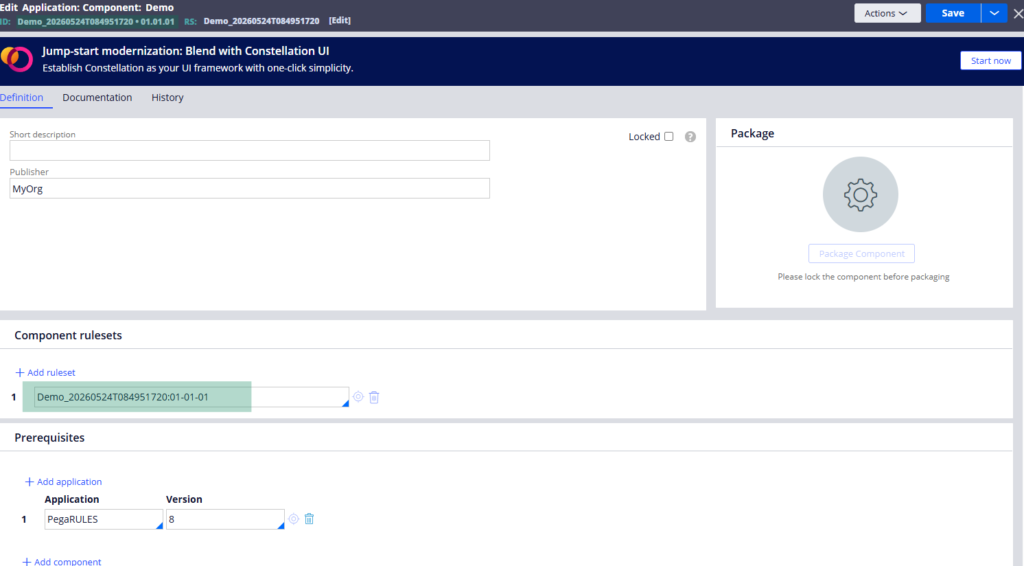
You can also define prerequisites – other applications or components that must be present for yours to work. This is important if your component’s rulesets reference rules from other layers.
Once development is complete, lock the component. After locking, you can package it as a downloadable zip file. That zip can be shared with other teams or uploaded to a private marketplace for reuse across projects.
Enabling and disabling components is managed from the application definition, making it easy to control which features are active in which environments.
Watch the Full Walkthrough
In the video below I walk through the difference between components and component applications, browsing the Pega marketplace, installing a third-party component and creating, locking and packaging a custom component.
Components are worth knowing about when you start working on larger programme-level engagements where reuse across applications becomes a real requirement.

