


In the previous article, we saw how Pega can consume messages from an external Kafka server. It is recommended to visit the Kafka articles in order for a better understanding.
https://myknowtech.com/tag/kafka
In this article, we will see how Pega can produce Kafka messages to an external Kafka server.
This tutorial is implemented using Pega personal edition 8.4, but the core concepts remain the same in higher versions as well
Business scenario: A banking organization ABC uses Pega infinity to facilitate their sales process. Whenever a loan is issued, loan details are captured in a Pega application that maintains the loan life cycle.
Business problem
Whenever a loan is fully settled, the loan status is updated in the golden source system ( Pega application) but the changes need to be propagated to all systems that use the loan status to make them up-to-date.
Solution
Kafka is chosen as the messaging platform. Whenever the loan expires, the Pega application produces loan status message to a dedicated topic. Other applications can register themselves as one of the consumers and consume the loan status change messages.
Let’s see how we can implement the scenario in Pega.
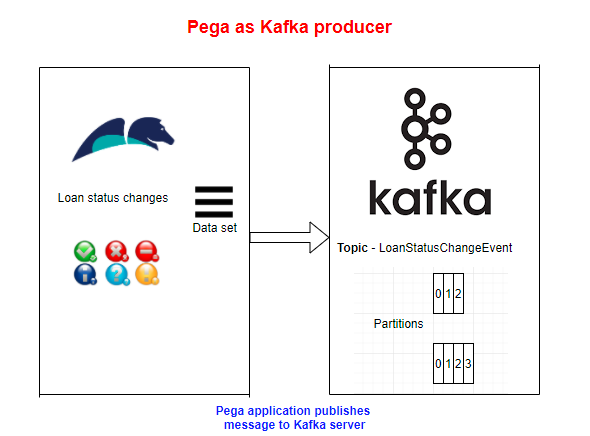
In the tutorial, we will see how this can be achieved using the data-set and data flow rules.
Mandatory pre-requisites –
1. Please follow the below post to set up the connection between Pega and an external Kafka server.
2. A Loan processing case type if created with a simple UI to capture the Loan number and loan status.
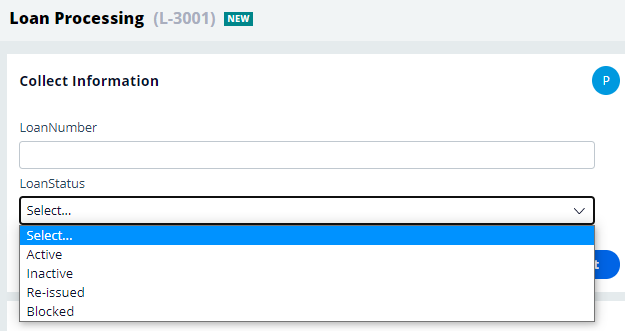
Okay pre-requisites are ready.
Configure Kafka data set in Pega
Step 1: Create the data model for your Kafka Integration.
Note: I am using the same data model as I used for consuming the Kafka Message
Step 1.1: Create an Integration class in the Ent Layer
<Org>-Int-Kafka-<TopicName>
OW3HD2-Int-Kafka-LoanStatusChange
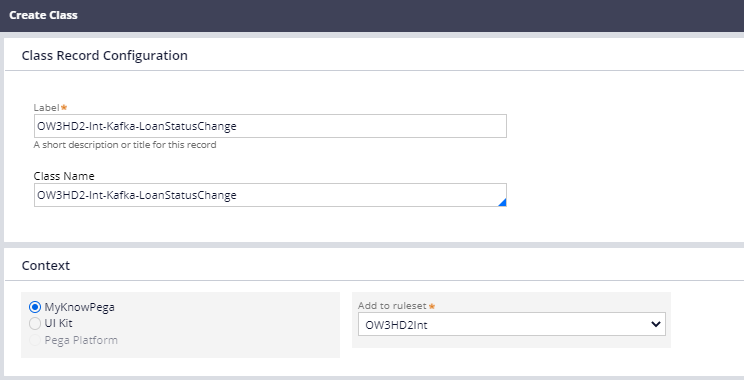
Step 1.2: Create two single value properties for Loan number and loan status.
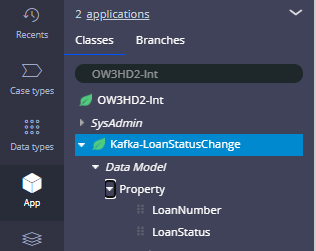
Step 2: Create a new Kafka data set rule – LoanStatusChangeEvent
There is a single main tab – Kafka, where you do all the main configurations.
Connections –
Here you can select the right Kafka instance rule – LocalKafka
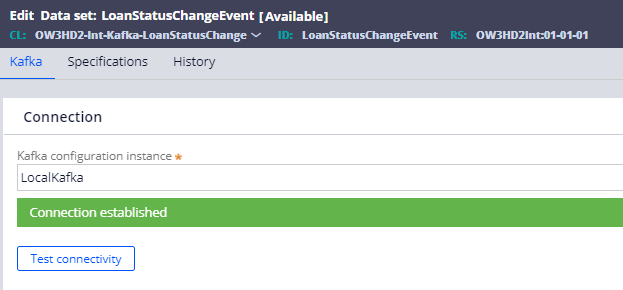
You can do a test connectivity to verify the connection.
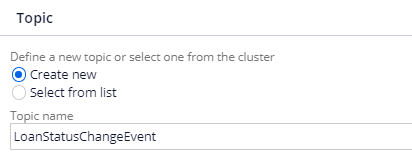
Topic –
Here you can either create a new topic or select any existing topic. In our scenario, we will try creating a new topic on the fly.
Partition keys –

In the Kafka introduction posts, we saw the importance of Partition keys. We know that each Kafka topic can have one or more partitions to store the messages and the message ordering is guaranteed only within each partition.
If you have such use case where your ordering plays a critical role, for example: tracking your cab, you must specify a key, say – cabID, so that all messages for same cab goes to same partition, so the geolocation ordering is maintained for the cab.
In our use case, the consumers wanted to track the order of loan status for each loan number. So as a producer, we are responsible to produce the messages corresponding to same number under same partition.
So my Partition key is LoanNumber.
Record format –
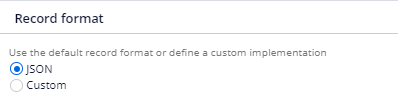
Here we have JSON as the default format and also we have an option to use custom format.
Based on the format, serialization and deserialization occurs.
You can look at the below links for custom serde(serialization and deserialization) implementation
https://collaborate.pega.com/discussion/kafka-custom-serializerdeserializer-implementation
Here in our use case, we will keep it simple and use JSON format.
Save the data set rule. Now just run the data set rule (we know that we haven’t produced any messages yet), you will see the new topic auto-created in the Kafka server.
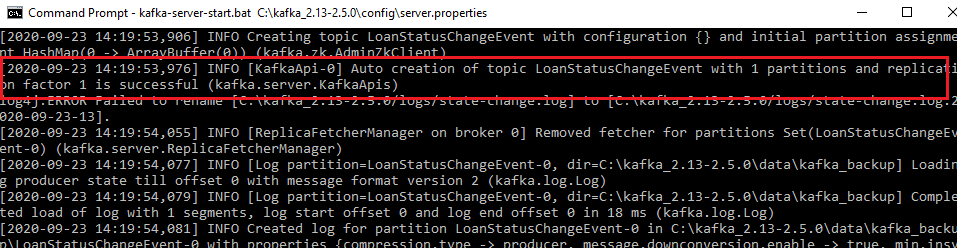
You see a new topic is created with only one partition!! Why?!!
Because the default configuration is set as 1 in the server.properties file.
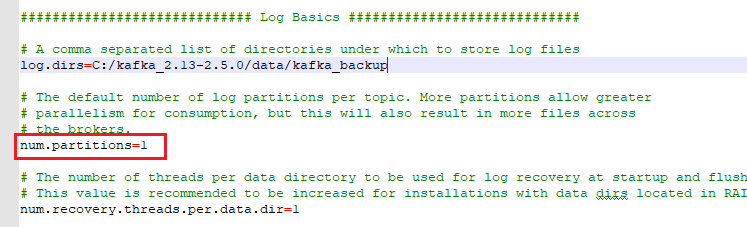
Shall we increase the partitions in existing topic? – Though it is not recommended, we can using alter kafka topic command. I am increasing the partition count to 5.
kafka-topics –alter –topic LoanStatusChangeEvent –partitions 5 –zookeeper 127.0.0.1:2181

Now let’s start producing Kafka messages from Pega.
How to produce/publish Kafka messages from Pega?
Using DataSet-Execute method from an activity rule.
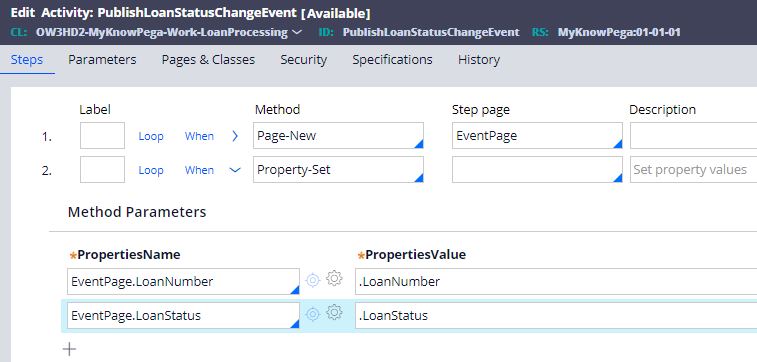
Step 1: Create a new Utility type activity in the work class
Step 2: Create a new Integration page – EventPage and set the work level values to Int level properties.
Step 3: Add a Save operation Dataset-Execute method.
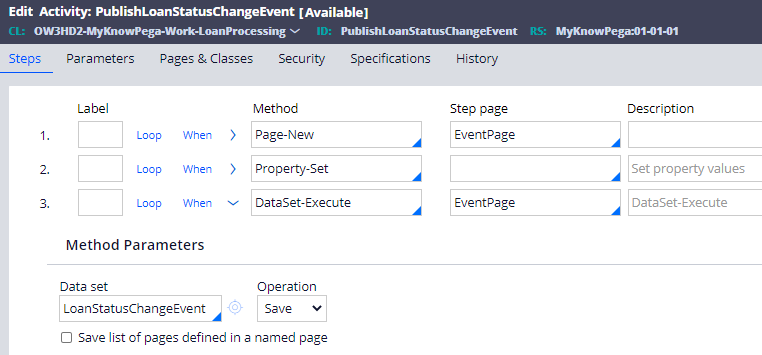
Important note: Make sure step primary page contains the data or JSON attributes to be published.
Select the right data set name and set the Operation to Save.
Now a question, Can we publish more than one message with the DataSet-Execute method? – Yes of course it is possible.
There is a checkbox Save list of pages defined, there you can specify a page list property and publish the list of page messages to Kafka. We will see this at the end.
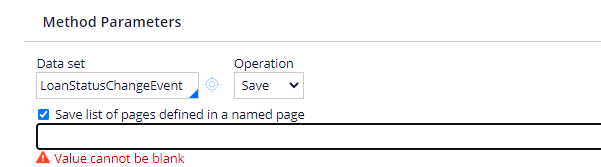
For now, we will publish one-to-one message publishing.
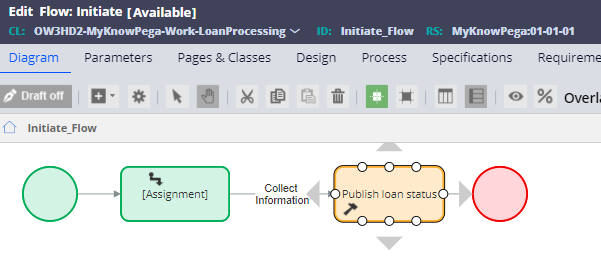
Step 4: Call the publishing utility in the flow rule following the assignment shape that captures the loan status.
Now it is time to test.
Step 1: Create a new Loan processing case.
Step 2: Capture the Loan number and Loan status.
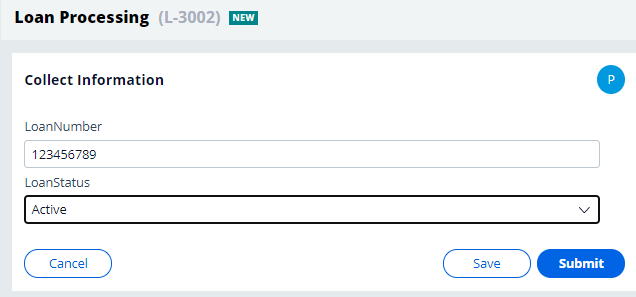
Click the Submit button.
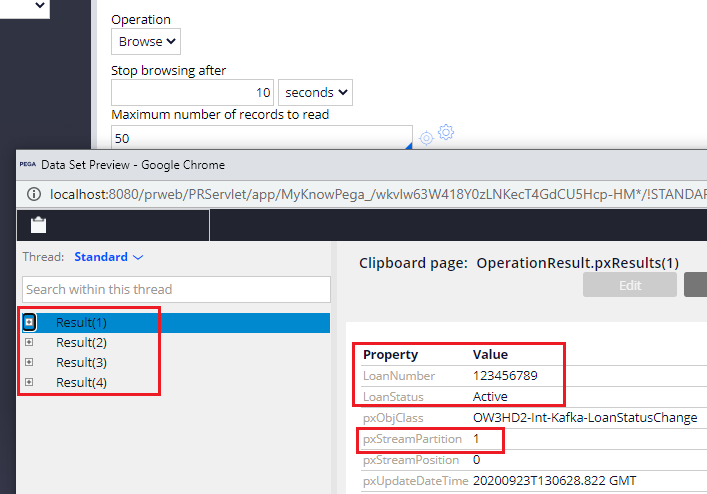
Now to check if the messages are published or not, we can manually run the data set rule to browse the messages.
You see the recently published messages occupy Partition 1. (The other 3 messages are published by me for testing purposes)
Let’s finish this tutorial by publishing 2 messages from a Page list and see if it go to the same Partition.
Step 1: Update the activity step 2, to add two results in EventsPage of Code-Pega-List class.
Note: For now I am hardcoding the messages, In real time it can be browse results or report definition results.
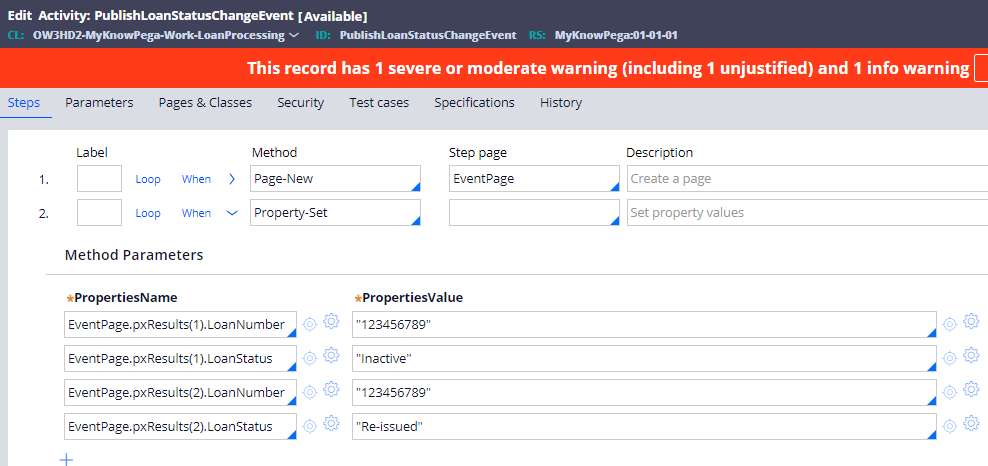
Step 2: In the DataSet-Execute method, use the EventPage.pxResults pagelist property.
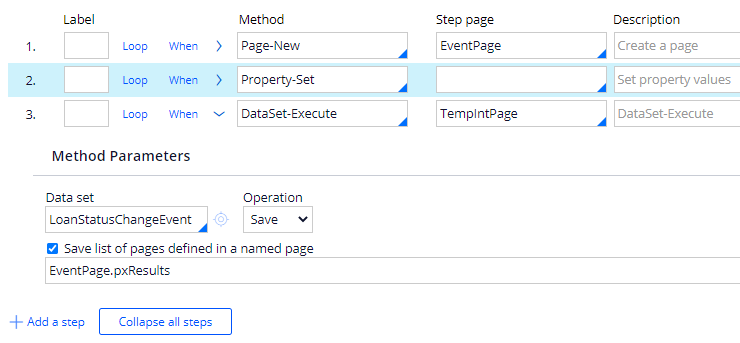
Step 3: Now run the activity manually to publish the messages.
Step 4: Run and browse the Data set rule to verify if the new messages are published to the external Kafka topic.
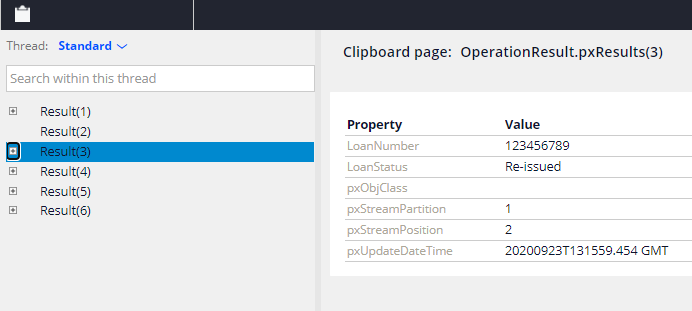
You see the third message occupies the same Partition 1, because LoanNumber is used as Partition key and is ordered as 3rd message position (0,1,2)
As a summary,
– Use a Kafka data instance to make a connection between Pega and external Kafka server.
– Create a new Kafka data set rule and specify the server details. In the Kafka data set rule, you can also decide to either use an existing topic or create a new topic on the fly.
– You can specify a partition key that supports the ordering of messages for particular entities like the same Loan number.
– Use DataSet-Execute method to publish Kafka messages from an activity rule.
– You can also publish more than one dataset using pagelist properties.
Hope you all find these Kafka series articles helpful.

