


There are many different ways to restrict access to Pega applications. One of the starting points is controlling access through the authentication service instance.
What is an Authentication Service Instance?
As we know, whoever needs to access Pega applications must identify themselves using the standard authentication methods supported by the Pega installed environment.
Pega ships by default with platform authentication, which is essentially basic authentication using a username and password. However, in most real-time use cases, we need to authenticate using the industry standard identity providers preferred by the enterprise. For example, an insurance company may have an Azure cloud subscription and use Azure AD as their standard identity provider. In such cases, all Pega application users should identify themselves against that identity provider.
This is all known to most of us, so what is this blog actually about?
Imagine company A uses multiple Pega applications installed in the environment, with different sets of users existing in the Operator records. Let’s say platform authentication is enabled along with a couple of different identity providers.
Now, if I am a Pega administrator, I may have access to all applications and can use any authentication service, such as platform authentication, to access any application.
This is also true for end users. They may use any authentication service available in the system to access an application.
(Of course, the Operator configuration’s external authentication setting controls platform authentication versus external IdP.)
So, to tighten up application access, you can tag an authentication service to the application.
There are two different ways to do this.
Adding Authentication Service to an Application from Dev Studio
Open your application instance and navigate to the Security tab. There you will find the section to add the authentication service instance.
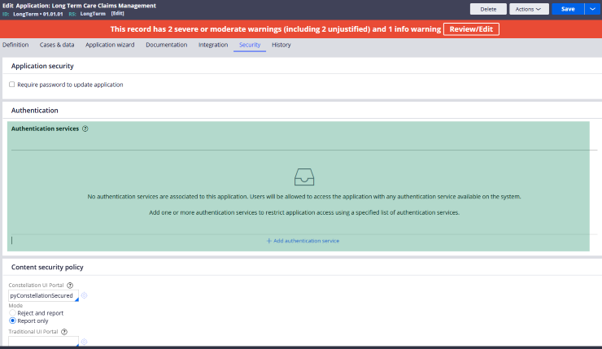
Read the instructions carefully. When no authentication service is associated, users can access the application with any authentication service available in the system. But as soon as you add one or more authentication services, you tighten the security to allow access only via the specified authentication service.
Let’s test this out.
Step 1: Add the SSO authentication service from the community edition and click Save.
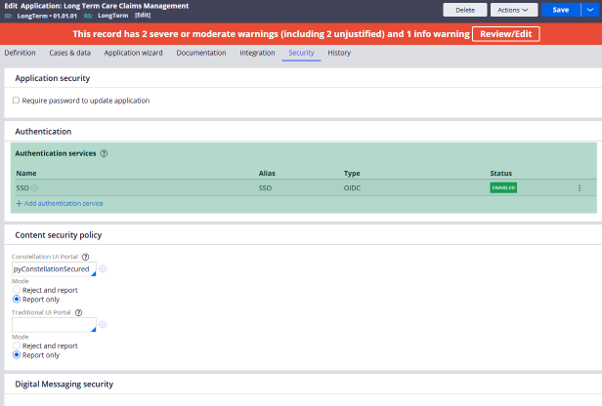
Important point to remember: in Pega Community Edition, SSO authentication is the default, as all operators have external authentication enabled by default, and the login page presents the SSO login option when you try to log in to the community edition.
Step 2: Copy the login URL.
Navigate to the three dots and copy the login URL.
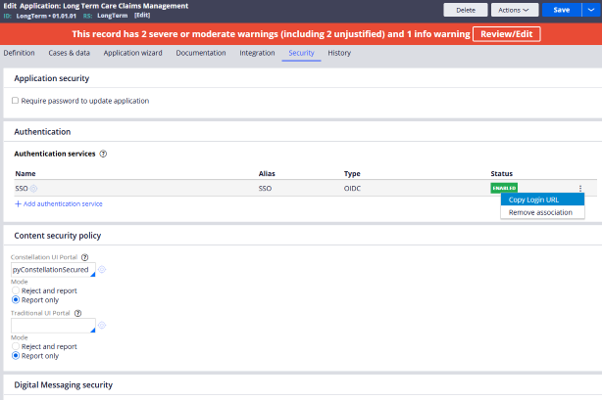
The login URL will include the application URL alias with the authentication service URL extension. You can provide this URL to end users, or update the relevant HTML pages where end users access the SSO URL.
For me, the URL is of this format: https://zpfmvtmq.pegace.net/prweb/PRAuth/app/long-term-care-claims-management/SSO
Step 3: Test the right authentication
Once I hit this URL, the SSO authentication service should prompt me with the Pega login page.
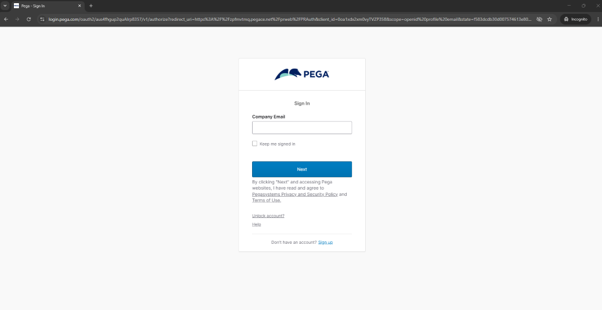
On successful login, I should be able to access the LongTerm application using SSO.
Step 4: Test the wrong authentication
Now let’s quickly test the security scenario by trying to access the application using a different authentication service.
For this, I created another operator with the right application access, with external authentication disabled and a password set.
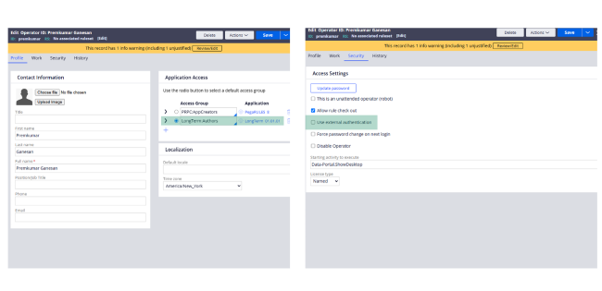
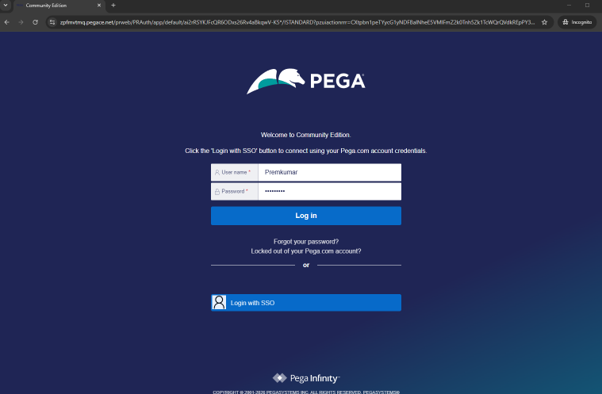
Now, if I try to access the community edition URL using platform authentication (username and password), I should get an error.

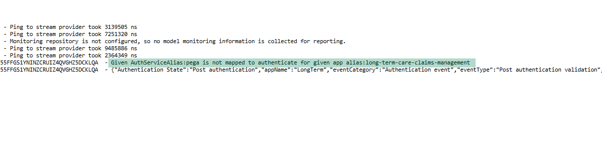
In the Pega logs, you will clearly see the same error, indicating that the platform authentication service is not enabled for the application. 😊
Configuring This from App Studio
This feature is also available from App Studio.
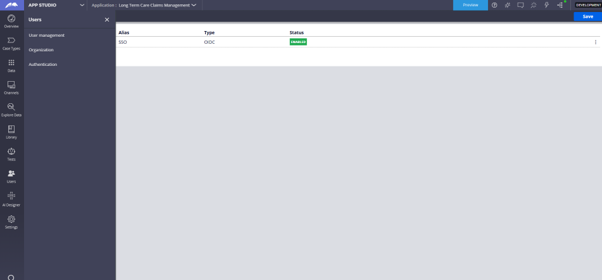
Navigate to App Studio, then Users, then Authentication. From here as well, you can add or associate authentication services with your Pega applications.
Increasing your application security by associating authentication services is best practice. 😊

