

In this blog article, we will create a new library and a new function rule. We will also see different ways of referencing function rule.
Before continuing, it is highly recommended to cover the basics of functions and libraries from another blog article.
Requirement: For this tutorial, I am going to use a simple Java program – Reverse the input string. I need to use the reverse string functionality in my Pega application. I need to create a function rule that accepts the input string, reverse it and output the reversed string.
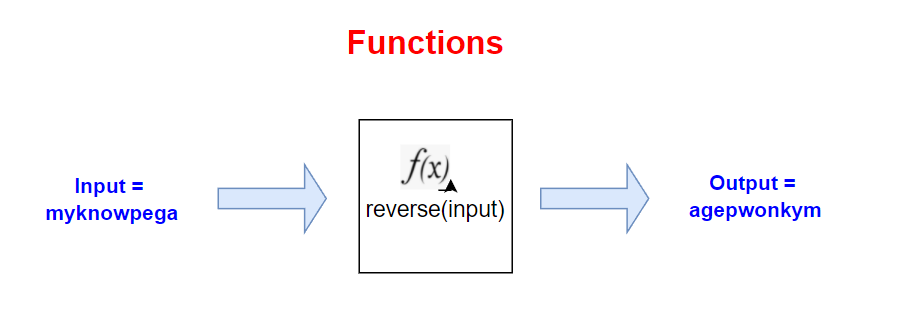
Below is the java code for it
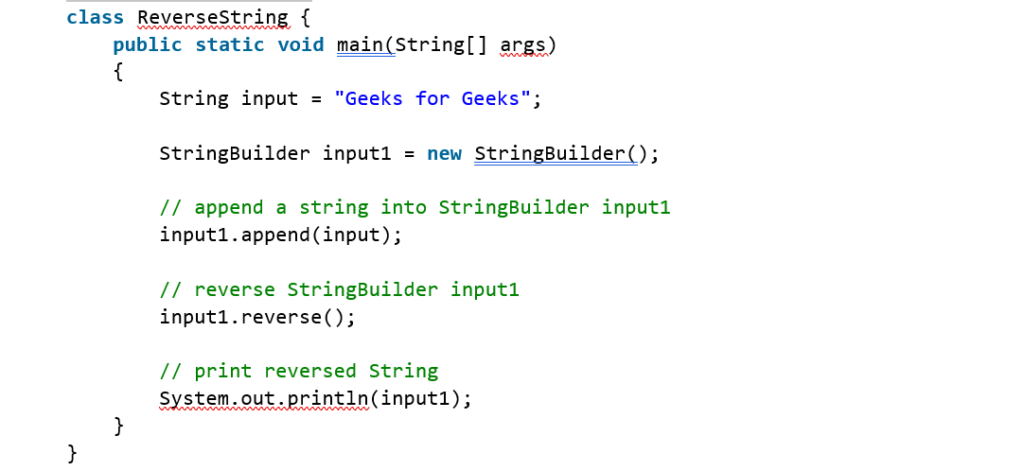
You can see the java code uses StringBuilder class. StringBuilder class is part of java.lang package in the Java 7 API documentation.
Step 1: Create a new library rule.
Note: If you already have a library rule on organization level or application level, you can always place the reusable function rule under the existing library. If not, you can create a new library rule. I don’t have any custom library for my application and so I am going to create one – MyknowpegaUtilities
Records -> Technical -> Library -> Create new
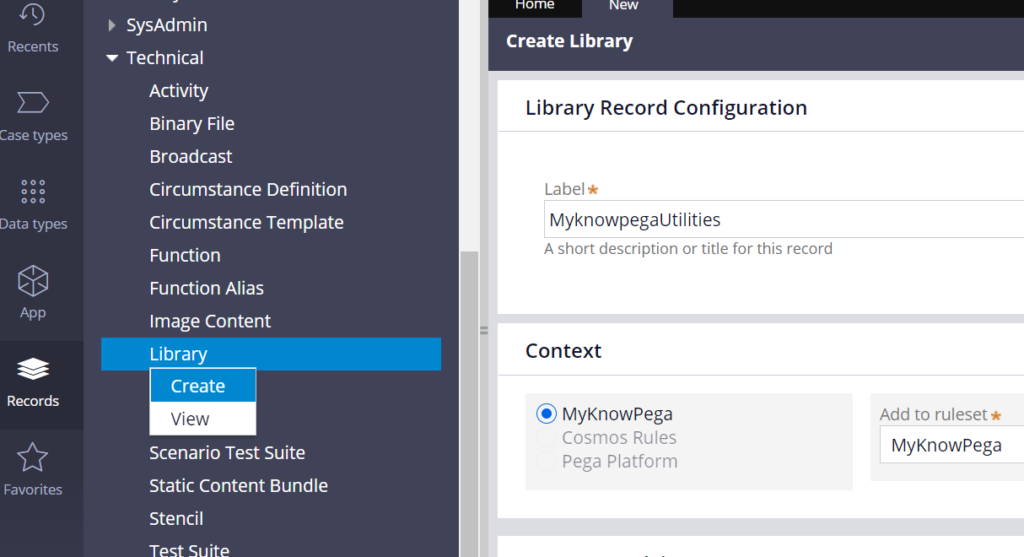
Specify the class name – java.lang.StringBuilder in the Java packages to include block.
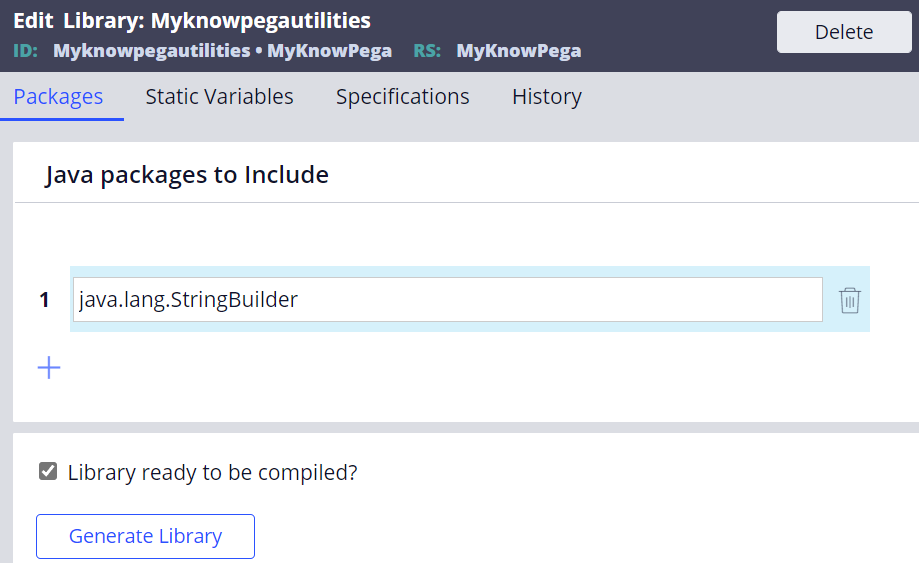
Save the library rule.
Step 2: Create a new function rule
Records -> Technical -> Functions -> Create new
Reverse
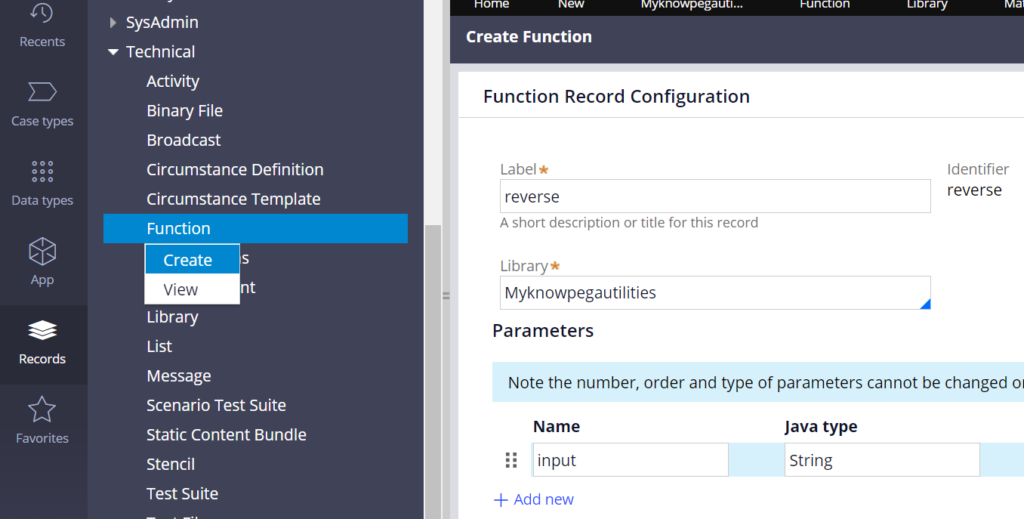
Provide the right library name and input parameter of type String.
Specify the output java type as String as well.
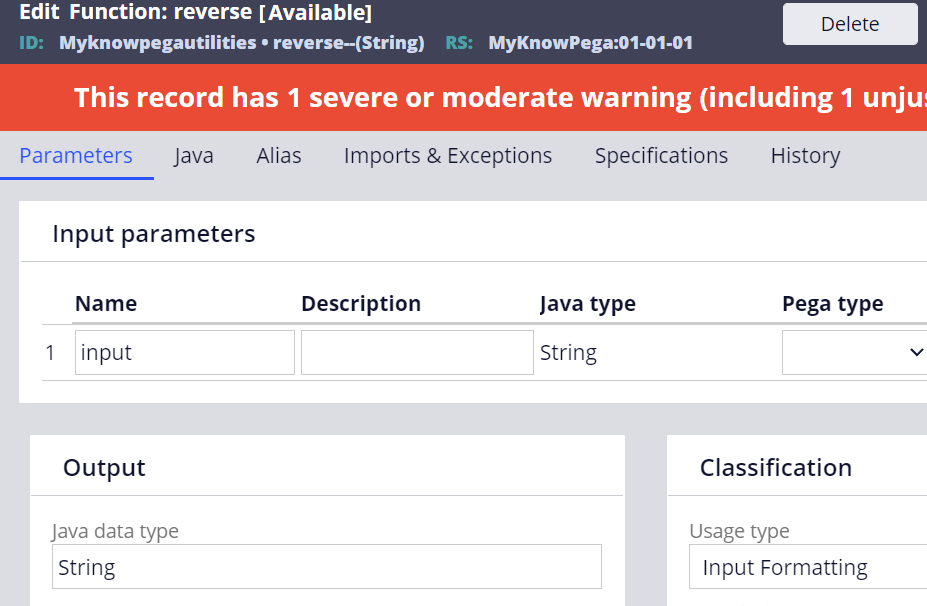
Input the Java code in the Java tab.
Update the Java code accordingly and save the rule.
Select the ‘function ready to be compiled?’ checkbox and save or click test compilation.
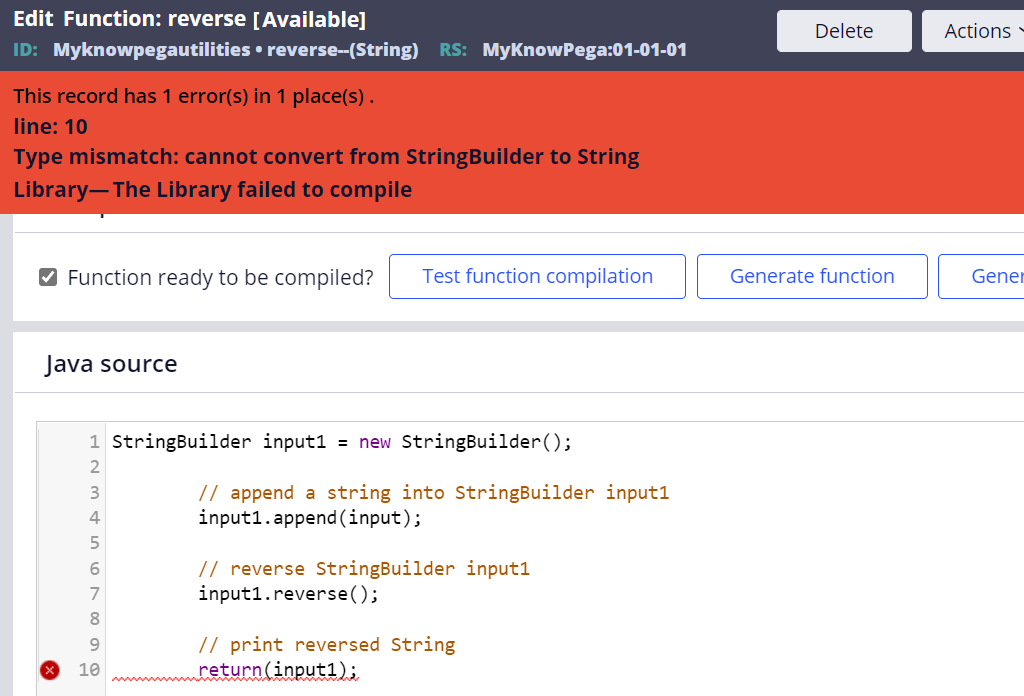
It throws a type mismatch error. Of course, because our return type is string and input1 is of StringBuilder. We need to convert it to String using toString() function.
toString() function is of class java.lang.String class.
Let’s update the Library rule form to include all the classes that are part of java.lang.* using wild characters.
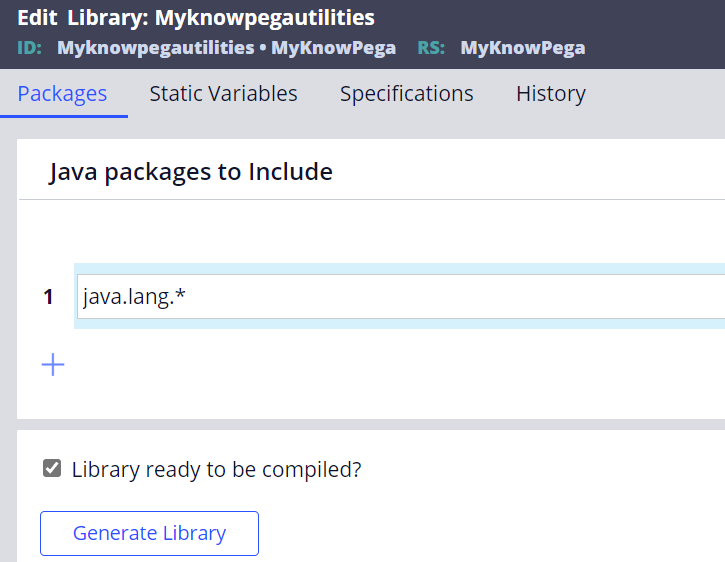
Now save the rule form.
Note: You call also use the Imports & Exceptions tab to specify the packages for function rule instead of updating the library rule form
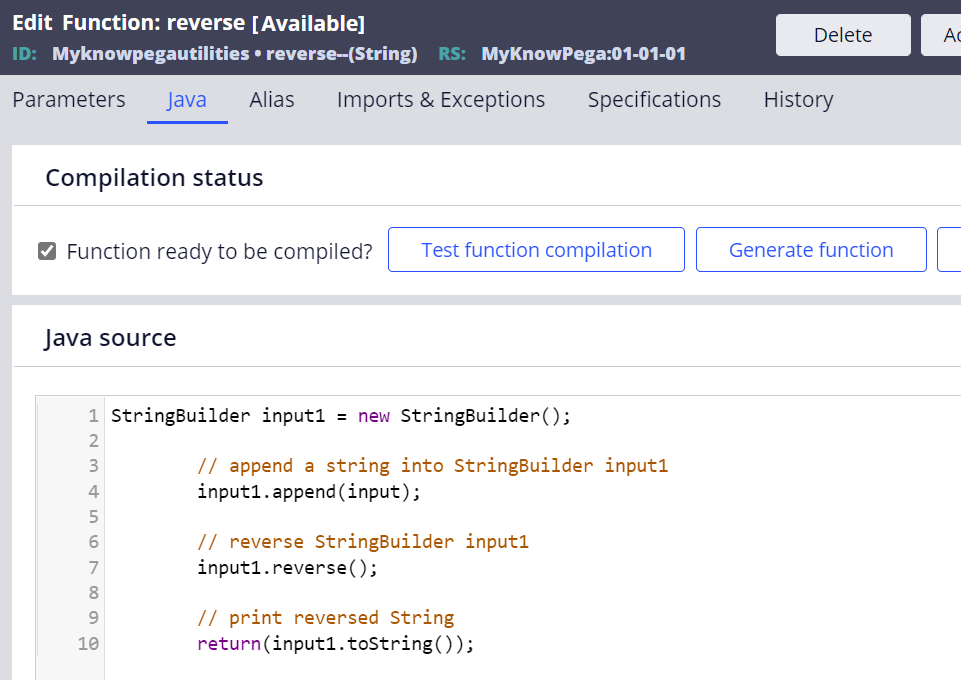
Click on the test function compilation button.
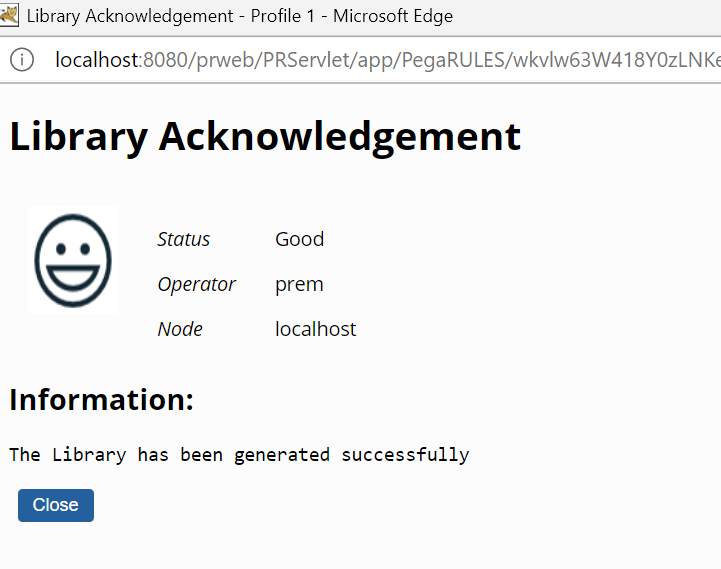
Done.
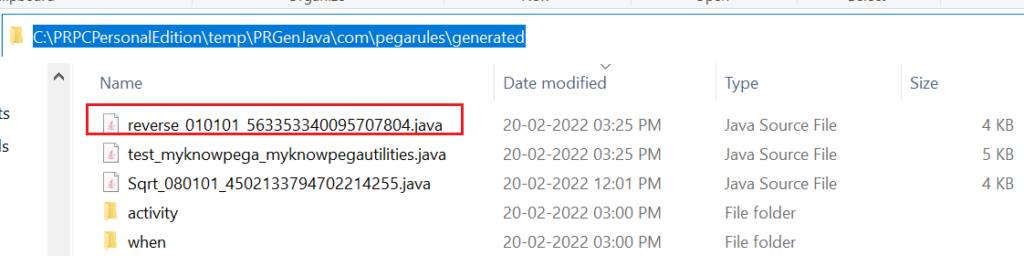
You can also see the generated Java source code for the function in the temp folder.
You can also click to generate a library once you are sure that the function is error-free.
Let’s test the functions now.
How do you reference the function rule?
a) Using the expression builder
Create a test activity and add a property set method.
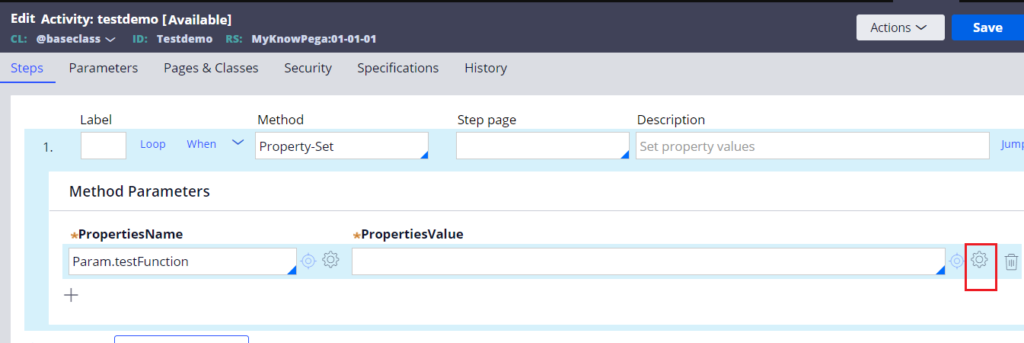
In the property value field, click on the expression builder.
In the left panel, scroll to find the right library name – Myknowpegautilities
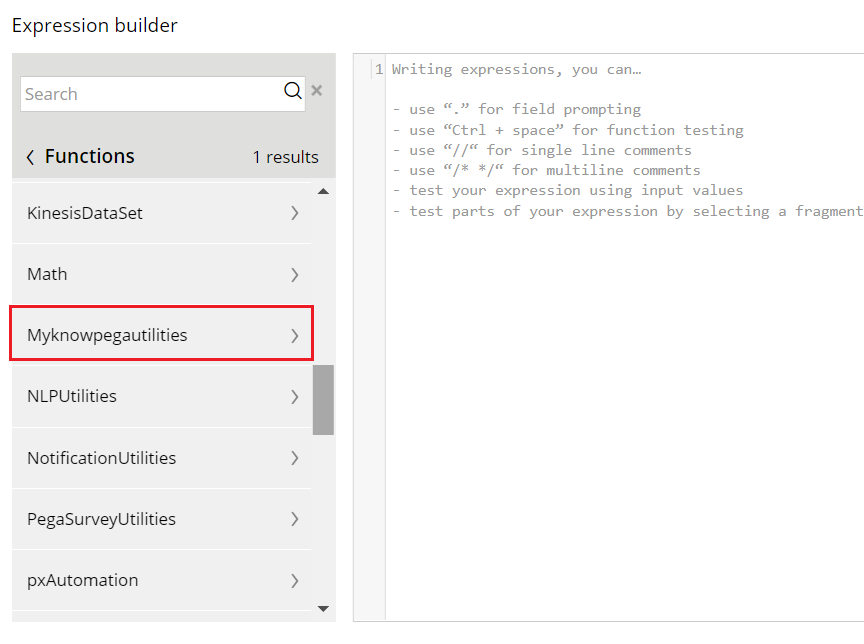
Expand the library and add the reverse function.
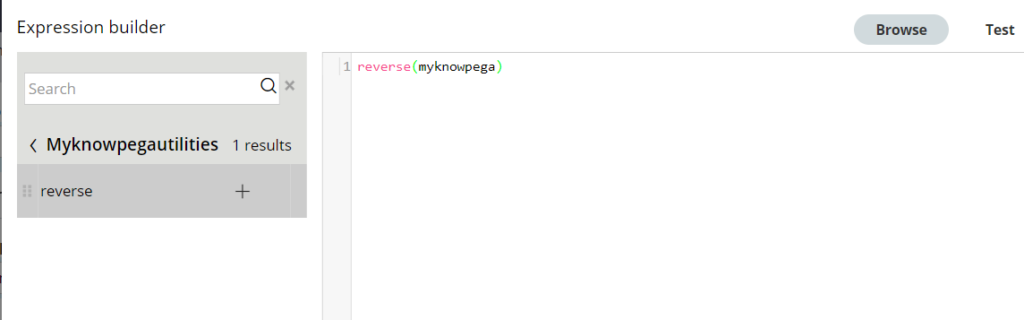
Input any string within the bracket and click on the test button on the top right
Test successful.
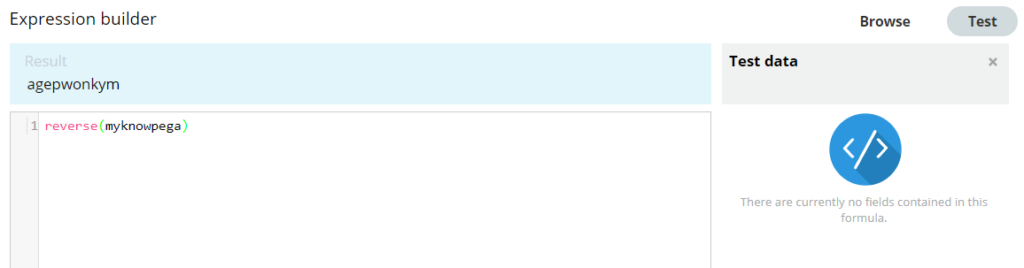
Click submit.
Check the function call populated in the property value field.
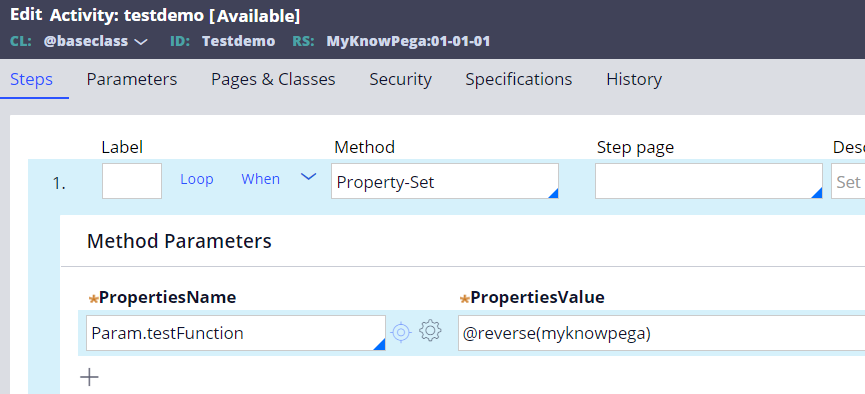
It is of format – @functionname(arg)
This format is referred as an Unqualified function call.
There are totally 4 formats to make a function call
1. Full qualified function call
Refer the function reference using a rulesetname and library name
The format is – @(RuleSet:libraryname).functionname(arg)
Then my function call will be – @(MyKnowPega:Myknowpegautilities).reverse(myknowpega)
As you know that function rule goes via rule resolution to identify the right function for execution.
When you provide both the library name and ruleset name in the function call, there is no need of rule resolution since there can be only one function per ruleset and library.
2. Library qualified function call
Refer the function reference using the library name
The format is – @libraryname.functionname(arg)
Then my function call will be – @Myknowpegautilities.reverse(myknowpega)
It offers more readable syntax than the fully qualified format. As you know two libraries with names can exist in different rulesets and hence the ruleset higher inthe ruleset hierarchy will be selected to run the function.
3. Unqualified function call
Refer the function reference using only the function name
The format is – @functionname(arg)
Then my function call will be – @reverse(myknowpega)
Pega platform uses rule resolution to find the right function. It may have an impact if we have the same function name under different libraries and rulesets.
4. Java call
Pega platform constructs the Java class name by concatenating the ruleset name an underscore and the library name.
The format is – ruleset_libraryname.functionname(params)
Note: ruleset name and library name are converted into lower case.
Then my function call inside the java code will be – myknowpega_myknowpegautilities.reverse(myknowpega)
Okay, let’s get back to our tutorial where we used the Unqualified function call.
Note: You can also try different function calls on your own.
Save and run the activity.
Use the tracer to check the parameter.
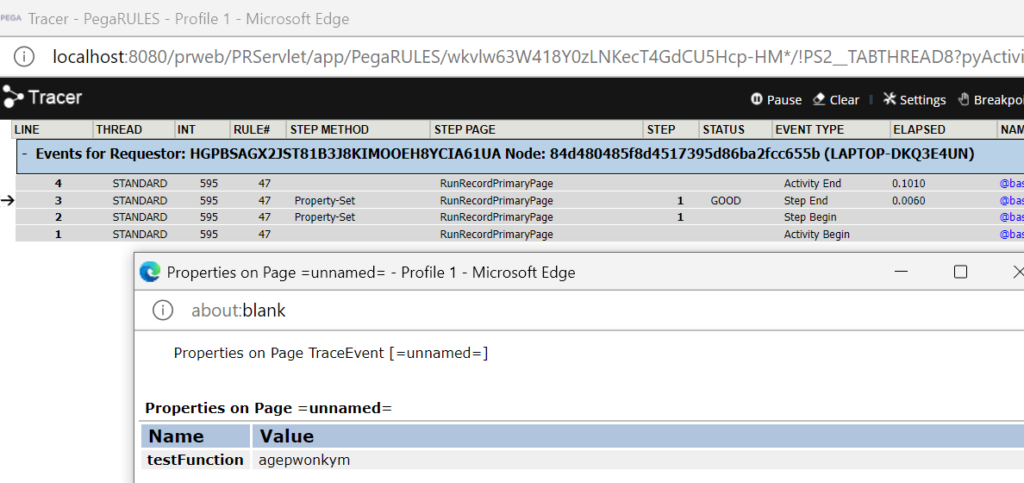
You see testFunction parameter has the right reversed value of myknowpega.
b) Use the Call-function method
I am setting to pyNote.
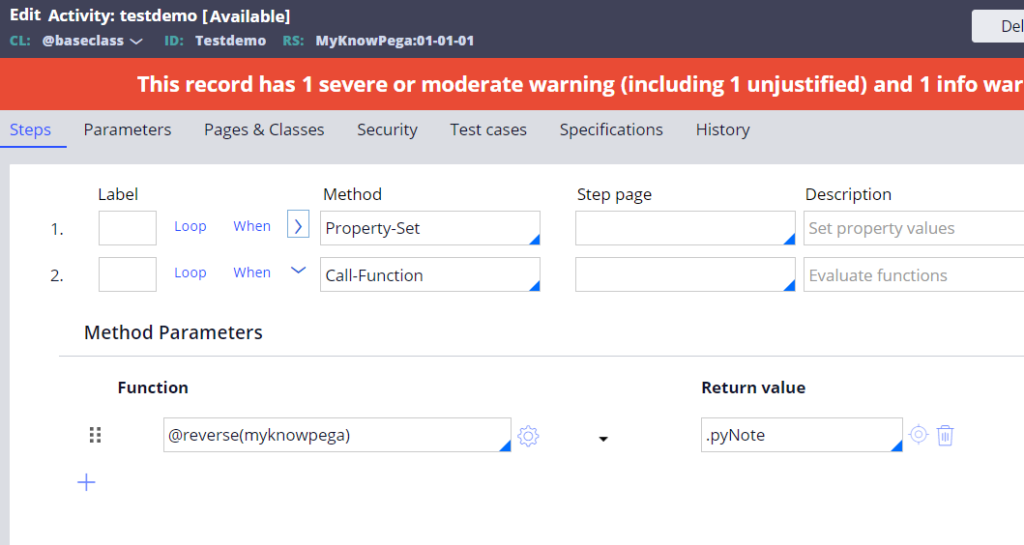
This is similar to property-set except that you can leave the return value empty whereas in property-set you should always set the return parameter.
c) Use Java method
You need to refer function in the format – rulesetname_libraryname.functionname()
Below is the code to execute my reverse function and set it to pyLabel property in the step page.
String functionOutput = myknowpega_myknowpegautilities.reverse(“myknowpega”);
ClipboardPage myPage = tools.getStepPage();
myPage.putString(“pyLabel”,functionOutput);
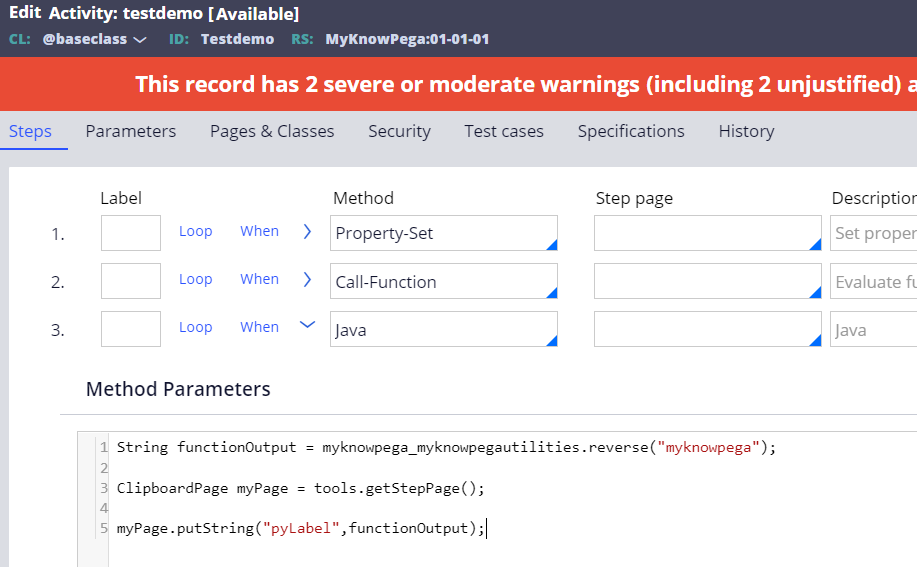
Save the activity. Start the tracer and run the rule.
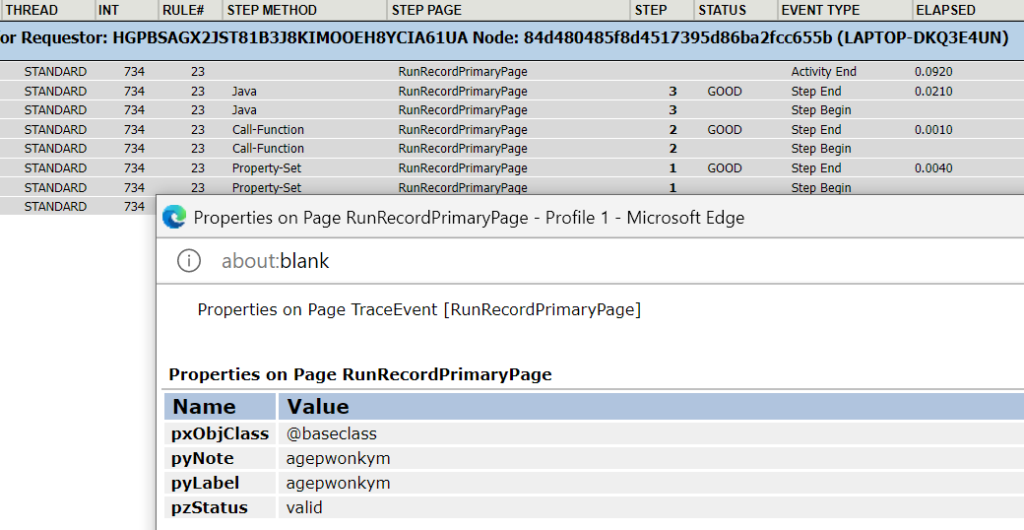
You see the pyNote from call-function method and pyLabel from Java code value is set as expected the reverse value of myknowpega.
Deleting library rule
Deleting the library rule will also automatically delete the function rules that are packed with the library rule. The generated Java source code files will also be deleted in all nodes.
Important note: Make sure to update the function references if you delete the library or function instances.
As a summary,
– Function rule can referenced from an expression builder, active method call-function and from a Java step.
– There are 4 formats to make a function call
- Full qualified function call – Uses the ruleset and library name and it does not require rule resolution to pick the right function. The format is @(RuleSet:libraryname).functionname(arg)
- Library qualified function call – Uses the library name alone and so the function is picked based on the ruleset stack list. The format is @libraryname.functionname(arg)
- Unqualified function call – Function is referred directly without ruleset or library name. Pega uses the rule resolution to pick the right function for execution. @functionname(arg)
- Java call – rulesetname underscore libraryname (lowercase) is used to make function inside the Java code. The format is ruleset_libraryname.functionname(params)
– Deleting the library will also delete the packed functions and generated source code java files.

