
How Delayed Queue Processors Work in Pega?
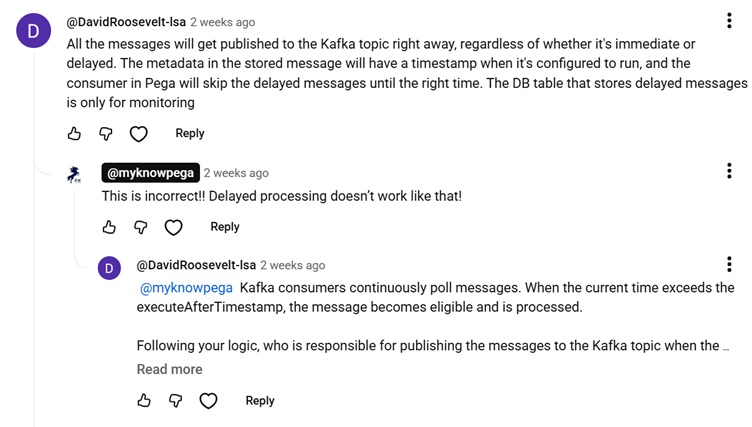
This article was inspired by a recent discussion in our YouTube comments, which highlighted a common misconception about how Pega handles delayed messages. Many developers assume that all messages are published to the Kafka topic right away, but that isn’t quite the case!
Let’s break down the actual mechanics behind Pega’s Queue Processors.
Understanding the Role of Kafka in Real-Time Processing
To understand delayed processing, we first need to look at how real-time Immediate queue processing operates:
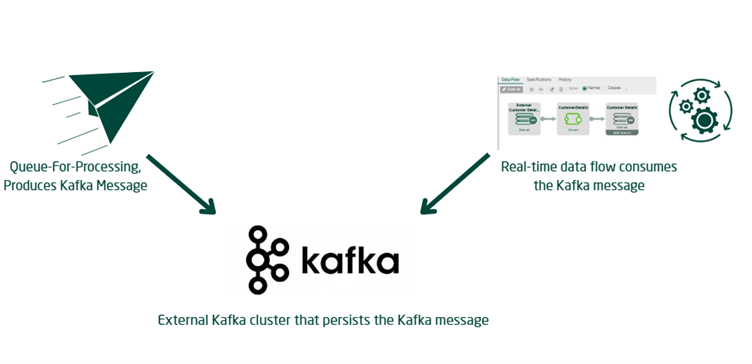
- Pega relies on a backend Kafka Topic to handle real-time queue processing.
- Whenever you create a new Queue Processor, Pega provisions a Kafka Topic in the externalized stream services and initiates a Dataflow run.
- When you execute a
Queue-For-Processingmethod, Pega acts as the Kafka Producer and sends the message directly to the corresponding Kafka Topic. - A real-time data flow run acts as the Kafka Consumer.
- This consumer picks up the message from the topic and processes it using the designated queue processor activity and access group context.
- This straightforward producer-consumer flow is how immediate, real-time processing functions
How Delayed Processing Actually Works
Delayed processing introduces a completely different workflow.
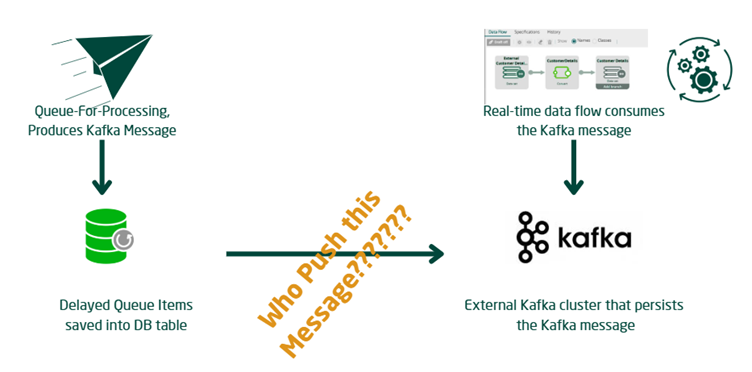
- When a delay is configured, the
Queue-For-Processingmethod does not immediately produce a message for the Kafka topic. - Instead, it saves the queue entry directly into a database table.
- The message is only pushed to the Kafka topic after the specified delayed time interval has been crossed.
Bonus Resilience: Pega also utilizes this database-saving mechanism as a fallback if your stream services or Kafka services ever go down.
- In those outage scenarios, Pega will save the queue entries inside the DB table and push them to the Kafka Topic later once services are restored.
The Million Dollar Question: Who Pushes the Messages?
If the messages sit in a database table, who is responsible for pushing them to the Kafka Topic once the delay expires?
Think about how standard agents process Service Level Agreements (SLAs). Pega utilizes AQM functionality, where Queue Managers actively poll for standard queue entries based on their processing timestamps. Pega uses a very similar polling concept for delayed queue processors.
Enjoying this content?
Access the author’s full video courses here at MyKnowAcademy.
Explore Courses →
Pega actively browses these delayed entries using one of two methods:
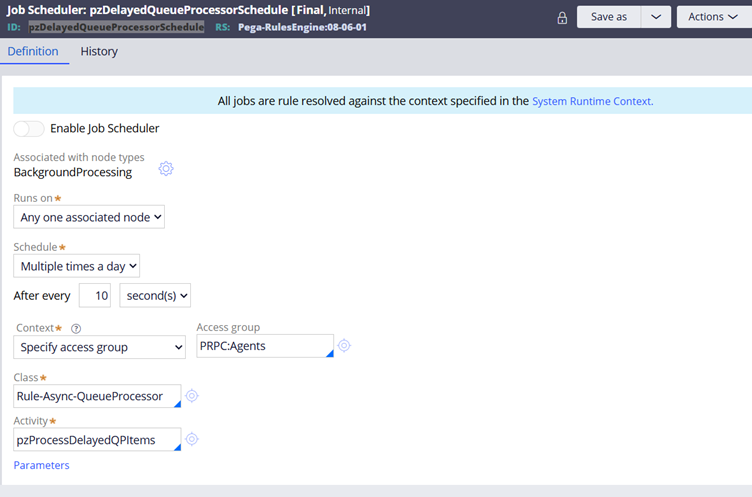
- Job Scheduler (
pzDelayedQueueProcessorSchedule): This background job can poll for entries, though it is typically disabled by default in higher versions of Pega.
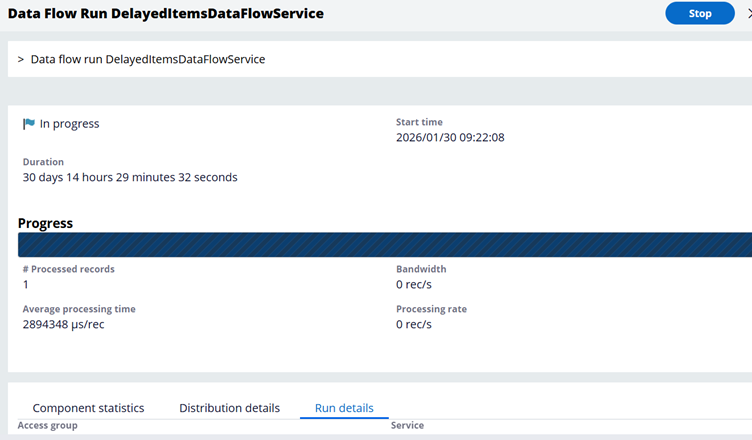
2. Data Flow Run (DelayedItemsDataFlowService): This is the modern standard. It is enabled by default in higher Pega versions and takes on the responsibility of pushing the eligible messages to the Kafka Topic.
Under the hood, various components of the com.pega.platform.executor.queueprocessor engine code perform the backend actions required to move these messages. However, as a Pega developer or system administrator, simply understanding this architectural flow is usually sufficient for effective debugging and monitoring.
Hopefully, the next time someone asks you about the delayed processing mechanism in Pega, you won’t have any doubts! You can check out our full YouTube video for an even deeper dive.
